Best Poster Mockup Generators in 2026, Ranked
There are more poster mockup tools now than at any point before — which is good for choice and bad for actually deciding. We use one of these ourselves, obviously, so treat that as disclosed rather than hidden: this list is written by PosterMock AI, and we rank ourselves first. What we've tried to do instead is be specific about why, and honest about where each tool — including ours — is genuinely the better pick.
How we compared these: room realism (does it look like a photo of a real room, or a template with your image pasted on), price, whether the output is unique to you or shared with every other user of the same template, and how well each is actually suited to wall art and poster listings specifically — some of these tools are built for apparel/product mockups first and posters second.
Quick comparison
| Tool | Price | Room type | Unique per listing | Built for posters |
|---|---|---|---|---|
| PosterMock AI | Free · $7.99/mo | AI-generated | Yes | Yes |
| PlaceIt | $14.95/mo · $7.47/mo annual | Stock photo | No | General mockups |
| Mockey AI | Free | Stock photo | No | General mockups |
| Mediamodifier | Free · $12.50/mo annual | Stock photo | No | General mockups |
| Canva Mockups | Free · $15/mo | Stock photo | No | General mockups |
The ranking
Instead of pasting your poster onto a stock photo everyone else is also using, PosterMock AI generates a full room scene from scratch around your specific artwork — frame, lighting, shadows, and perspective included. That means two sellers with the same room style selected still get visibly different results, because the AI is building the scene around each poster's actual content and color palette. 14 room styles, three lighting moods, and output at 2000×2000px / 300 DPI, which is above Etsy's minimum listing-photo spec.
- Every room is generated fresh — no shared templates
- Purpose-built for wall art, not adapted from a general mockup tool
- Free tier with no sign-up required
- 2000×2000, 300 DPI output
- Wall art / room mockups only — no apparel or product mockups
- Each generation takes ~20 seconds, not instant
- Less pixel-level manual control than a template editor
PlaceIt's strength is breadth — tens of thousands of templates covering apparel, mugs, phone cases, and more, not just wall art. If posters are one of several product types you sell, that range is genuinely useful. The tradeoff for poster listings specifically is that you're picking from existing stock photos, so the room, lighting, and furniture are fixed — and other sellers are picking from the same pool.
- Huge template library across many product types
- Fast, instant preview
- Established, reliable tool
- Stock photo templates, shared across all users
- No free tier for downloads, only preview
- Highest recurring cost on this list
Mockey AI offers a genuinely free, watermark-free mockup generator with a large template catalogue, which makes it a reasonable option if you're just testing whether mockups help your listings at all before spending anything. The templates are still fixed stock photos, so the ceiling on visual distinctiveness is lower than an AI-generated scene.
- Completely free, no watermark
- Large template catalogue
- Simple, quick workflow
- Stock photo templates
- No AI scene generation
Mediamodifier covers ecommerce mockups broadly — packaging, apparel, wall art among them — at a lower price than PlaceIt. It's a fine general-purpose tool if mockups are a small part of a broader workflow, but poster sellers specifically aren't its primary focus.
- Lower price than PlaceIt
- Usable free tier
- Covers many product categories
- Wall art is a secondary category, not the focus
- Stock photo templates
Canva absorbed Smartmockups after acquiring and shutting it down in 2024, and now offers mockup templates inside the regular Canva editor. If you're already a Canva Pro subscriber for other design work, this is a no-extra-cost option. On its own, it's the most expensive tier on this list for the smallest wall-art-specific template selection.
- No extra cost if already on Canva Pro
- Familiar editor for existing Canva users
- Smaller wall-art template selection
- $15/mo if not already subscribed
- Stock photo templates
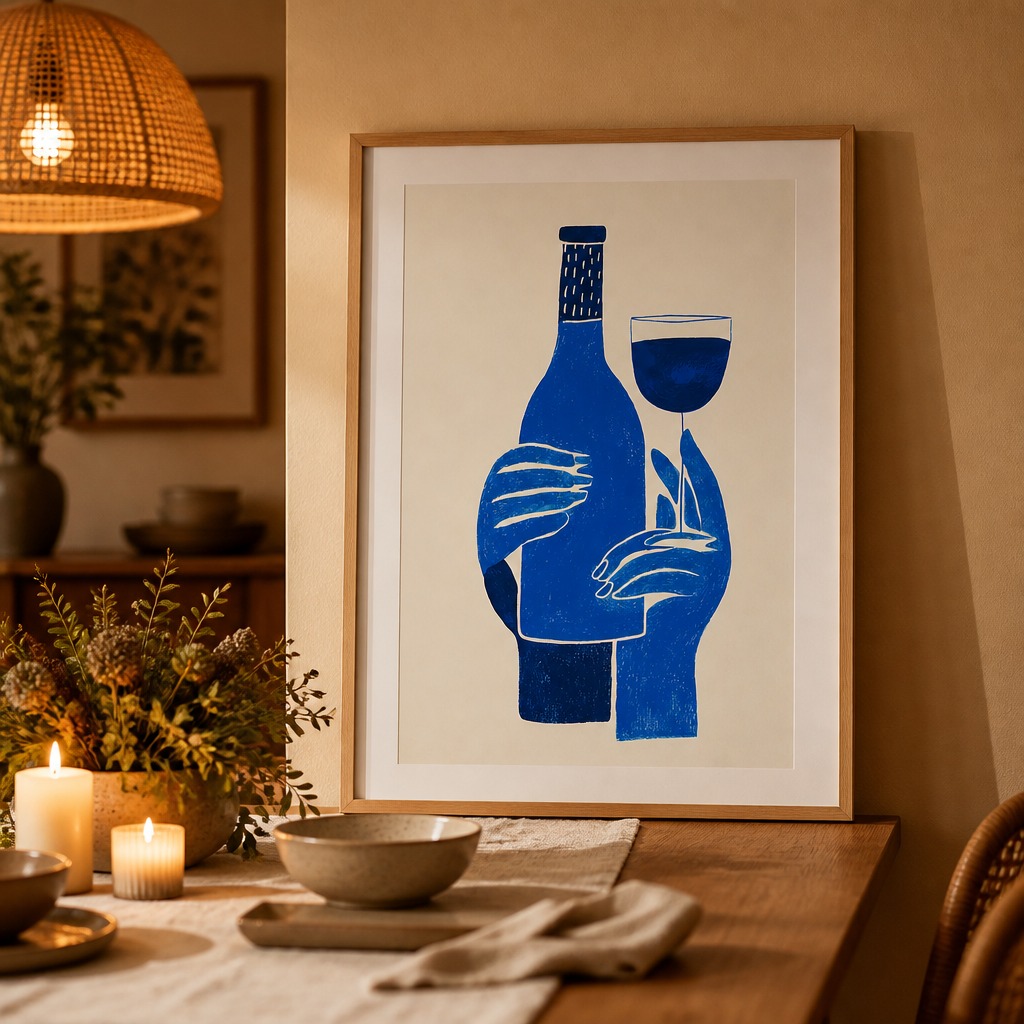
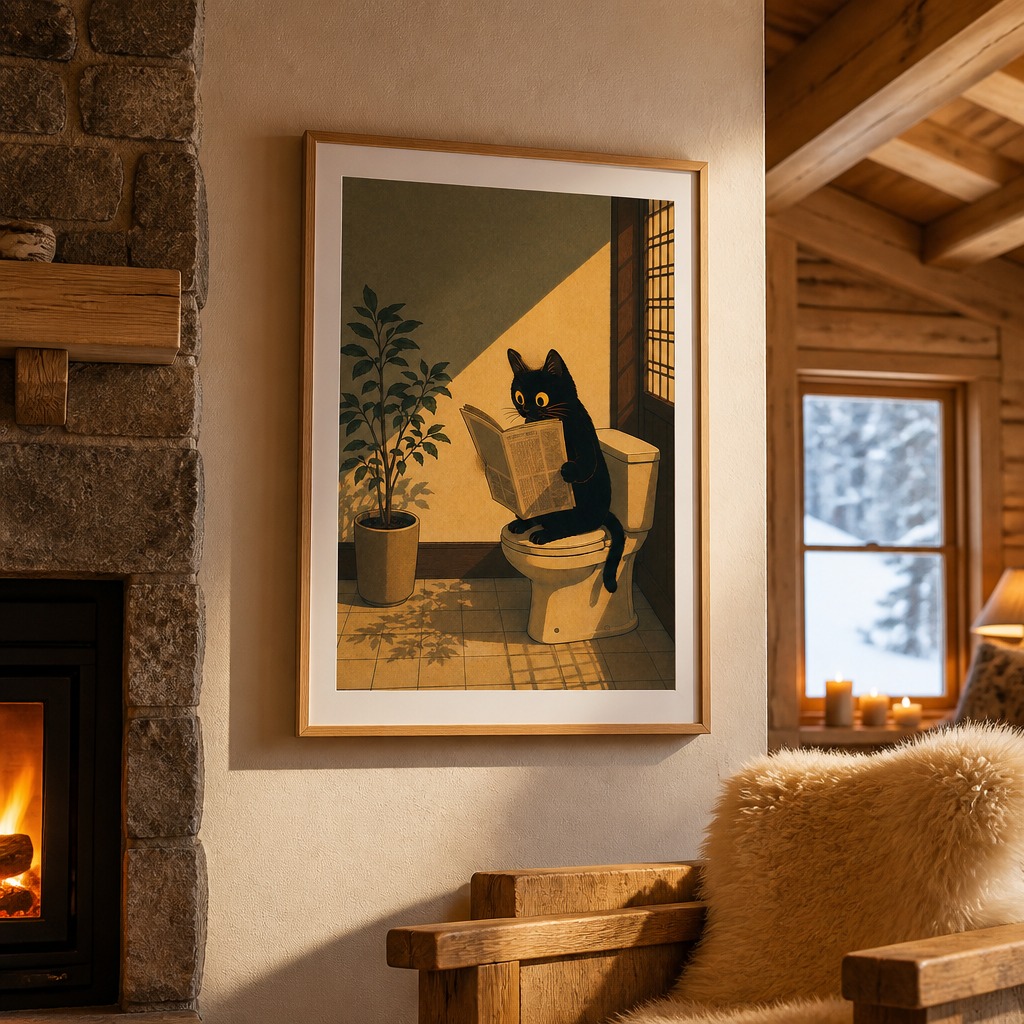
Both generated from the same tool, same 20-second generation time, different rooms built around each poster.
Which one should you actually pick
- You only sell posters/prints and want listings that don't look identical to every other seller — this is the case AI-generated rooms are built for.
- You sell posters plus apparel, mugs, or other products — PlaceIt or Mediamodifier's broader template libraries save you juggling multiple tools.
- You want to test if mockups help at all before spending anything — Mockey AI's free tier costs nothing to try.
- You already pay for Canva Pro for other design work — use what you're already paying for before adding another subscription.
See the difference yourself
Upload your best-selling poster and generate a free mockup — no account needed. Compare it to your current listing photo.
Try free — no account needed →2 free generations daily · No watermark · No sign-up
Frequently asked questions
Is this list biased since PosterMock AI wrote it?
Yes, transparently — we make the #1 pick and we'd be lying if we said otherwise. We've tried to make the comparison specific and checkable rather than vague, and included honest cons for our own tool. Generate a free mockup yourself and compare it to whatever you're currently using; that's a better test than trusting any ranking, including this one.
What if I need mockups for products other than posters?
PosterMock AI is built specifically for wall art — posters and framed prints in room scenes. If you also sell apparel, mugs, or other product types, PlaceIt or Mediamodifier's broader libraries will serve you better for those categories.
Can I use more than one of these tools?
Plenty of sellers do — a general template tool for quick variations or social content, and AI-generated rooms for primary Etsy listing photos where visual distinctiveness has the most effect on click-through.
See also: our full PlaceIt comparison and which room style fits your poster niche.