Canva Mockup Templates for Etsy: Why AI Rooms Convert Better
Canva's mockup feature is genuinely useful. You upload an image, pick a frame template, and in a few seconds you have a lifestyle photo you can drop into your Etsy listing. It's free (with some limitations), it's fast, and the output looks clean.
So what's the problem? The same templates are available to every Canva user. When thousands of sellers use the same "white frame on beige wall" template, your listing photos start looking like every other listing in your category. And that's the core issue: Etsy is a visual search result. When buyers are scrolling, generic looks the same as invisible.
This article compares Canva mockups to AI-generated room scenes for Etsy sellers — what each approach does well, where each falls short, and when it makes sense to switch.
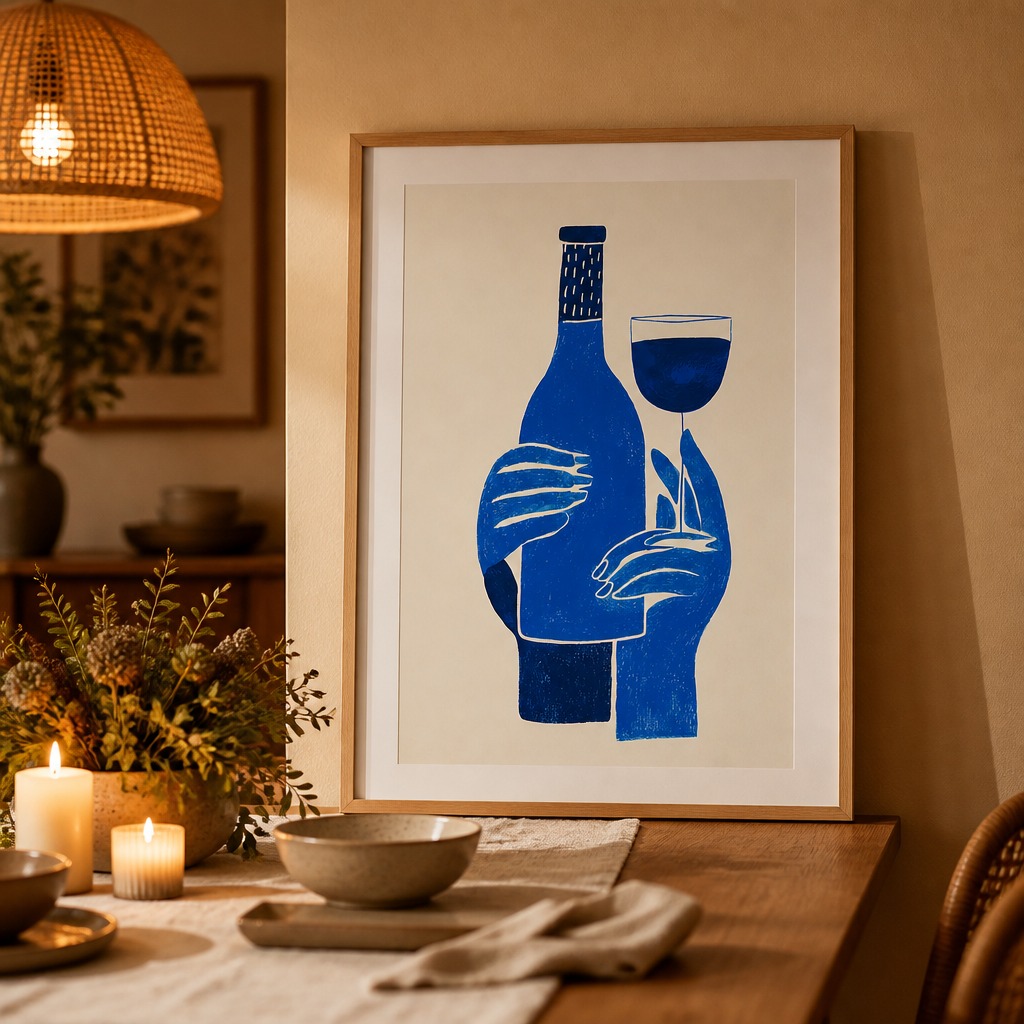
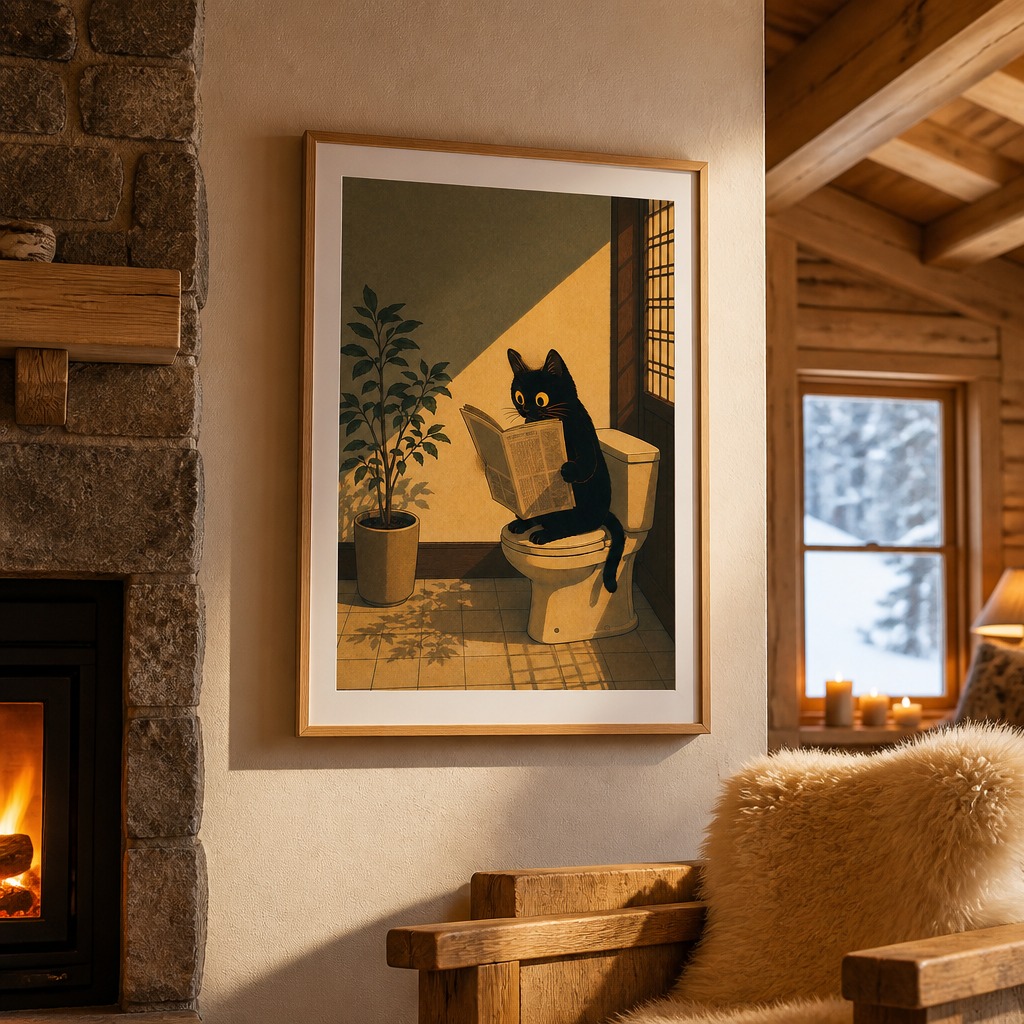
AI builds a room around your specific artwork — these scenes don't exist in any shared template library.
What Canva mockups do well
Canva is a strong choice when you need something quick and you're not selling in a visually competitive category. The interface is familiar, you likely already have a Canva account, and the results are fast and polished. For non-poster products (social media graphics, invitations, documents), Canva mockups are often the right answer.
For poster sellers specifically, Canva's strengths are:
- Speed — existing templates mean zero generation time
- Consistency — the same template produces predictable results every time
- Free tier — basic mockups are available without a Pro subscription
- Familiarity — you're already in Canva for other design work
Where Canva mockups fall short for Etsy
The shared-template problem
Canva's mockup library has a few hundred templates. Of those, maybe 20–30 are genuinely popular for wall art. Every Etsy seller who uses Canva is drawing from the same pool. When you search "botanical print" on Etsy and see the same distressed-wood-frame-on-white-wall composition repeated across 30 listings, that's shared templates at work.
The composition doesn't adapt to your artwork. A moody dark abstract poster gets placed on the same bright white wall as a cheerful children's illustration. The scene doesn't change to complement what's in the frame.
No depth or context
Canva mockups are flat composites: your image is pasted onto a photograph that already exists. The shadows, lighting, and perspective are locked to whatever the original stock photo looked like. There's no way to change the room's mood, lighting direction, or furniture arrangement — you get what you get.
For buyers making a visual purchase decision, context matters enormously. A poster hanging in a warm, candlelit reading nook communicates something different than the same poster in a bright Scandinavian bedroom. Canva templates can't give you both because the template is one fixed photograph.
Commercial licensing complexity
Canva's mockup templates use stock photography. The commercial license for those images depends on which tier you're on and which specific assets you're using. Canva Pro's content license covers commercial use in products "for sale" — but it's worth reading Canva's content license carefully before using template-based images in Etsy listings, particularly if you're selling digital downloads at scale.
AI-generated scenes avoid this entirely: the room that's generated around your poster doesn't exist anywhere else. There's no underlying stock photo with its own license. The output image is yours.
How AI-generated mockups work differently
Instead of pasting your artwork onto an existing photograph, an AI model (specifically OpenAI's image generation model in PosterMock AI's case) generates a complete room scene that includes your poster as a native element. The lighting, shadows, and room composition are synthesized fresh for your specific image.
This means:
- No other seller is generating the same room from the same source — even with the same style selected, the output varies
- The room composition adapts to your poster's content and color palette
- You can generate multiple variations and pick the one that best complements your artwork
- Commercial use is unrestricted — the generated image is fully yours
Side-by-side comparison
| Feature | Canva Mockups | PosterMock AI |
|---|---|---|
| Scene uniqueness | Shared templates | AI-generated per poster |
| Adapts to your artwork | No — fixed background | Yes — room built around poster |
| Room style variety | ~30 wall art templates | 14 distinct styles |
| Generation time | Instant | 20–30 seconds |
| Output resolution | Varies (depends on template) | 2000×2000 · 300 DPI |
| Commercial use | Yes (with Pro, check license) | Yes, all tiers |
| Free tier | Yes | Yes — 2 free/day, no sign-up |
| Price (paid) | $15/mo (Canva Pro, all features) | From $2.99/mo |
When to use Canva, when to switch
Stick with Canva if you're just starting out, have fewer than 10 listings, or are in a low-competition category where any clean listing photo is sufficient. The speed and familiarity advantage is real.
Switch to AI mockups when you're actively trying to improve your click-through rate on Etsy, when you have more than 20–30 designs that need mockups, when you've noticed your listings look visually similar to competitors, or when you want control over room style and atmosphere rather than taking whatever the template gives you.
Many sellers use both: Canva for quick variations and social media content, AI mockups for primary Etsy listing photos where visual distinctiveness actually drives clicks.
Free test: Generate an AI mockup of your best-selling design at postermockai.com/app — no account needed. Compare it to your current Canva listing photo and decide for yourself which one you'd click on first.
See what your poster looks like in a real room
No Photoshop, no stock photo templates, no sign-up required. Upload and generate in 20 seconds.
Try free — no account needed →2 free generations daily · Commercial use included · No watermark
Frequently asked questions
Can I use PosterMock AI alongside Canva?
Yes. Many sellers use Canva for social media graphics and PosterMock AI for primary Etsy listing photos. They're complementary tools, not mutually exclusive.
Does PosterMock AI work with any poster design?
Yes. Upload any JPEG or PNG — botanical prints, abstract art, typography posters, illustrations, photography. The AI generates a contextually appropriate room scene regardless of the artwork style.
How do I get started for free?
Go to postermockai.com/app, upload your poster, pick a room style, and click Generate. No account required. Two free generations per day, full resolution, no watermark. Create a free account for 25 credits/month and a full month of Pro access to all 14 room styles.