Pinterest Pins for Etsy Wall Art: Size, Layouts and Mockups
People go to Pinterest to plan rooms: a calmer bedroom, a kitchen wall, a gallery wall for the hallway. That's exactly the moment someone is ready to buy a print, which makes Pinterest one of the best free sources of traffic for Etsy wall art.
A pin is mostly a good photo of the print in a room, which you already make for your listing. This guide covers the size Pinterest wants, three pin layouts you can make from your mockups, and how to write and post them.
The pin size Pinterest recommends
| Setting | Pinterest's spec |
|---|---|
| Shape | 2:3 (portrait) |
| Size | 1000 × 1500 px |
| Taller than 2:3 | May get cut off in the feed |
| File type | PNG or JPG |
| Title | Up to 100 characters; the first 40 may show in the feed |
| Description | Up to 800 characters |
These come from Pinterest's product specs page. A 2:3 pin is tall, so it takes up more of the feed than a square one. Your Etsy mockups are usually square, which is fine for Etsy, so each one needs a small change before it becomes a pin.
Three pin layouts from one set of mockups
1. Crop the mockup to 2:3
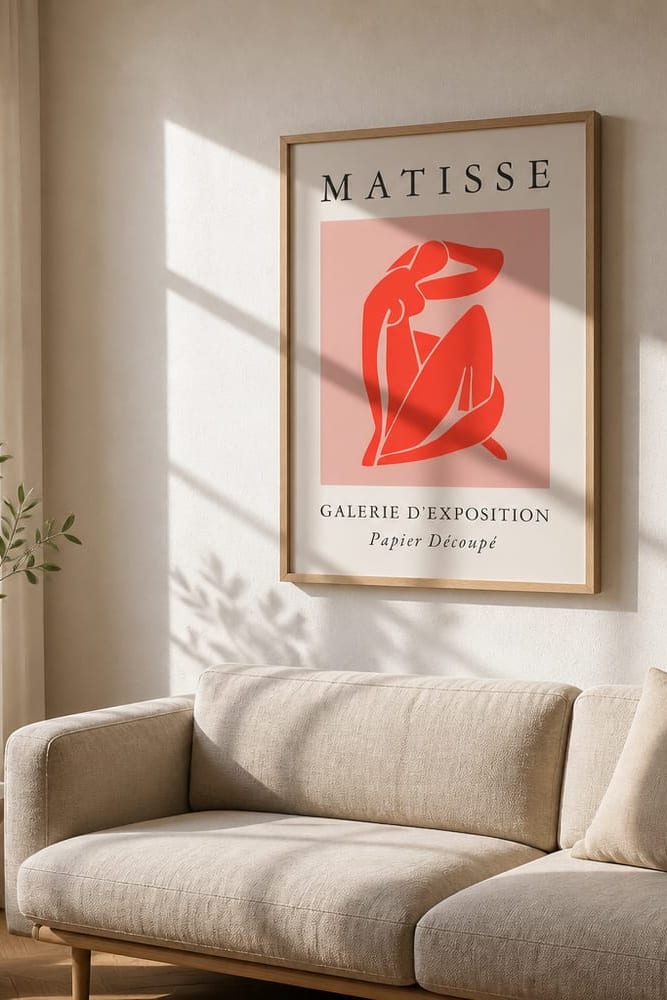
The simplest pin. Take a square mockup and crop a tall slice out of the middle, keeping the whole print and some of the room around it. From a 2000 × 2000 px mockup, a 1333 × 2000 px crop is exactly 2:3. This works best when the print is hung or leaning in the centre of the photo. It doesn't work if the crop would cut through the frame.
2. A room photo with a close-up underneath
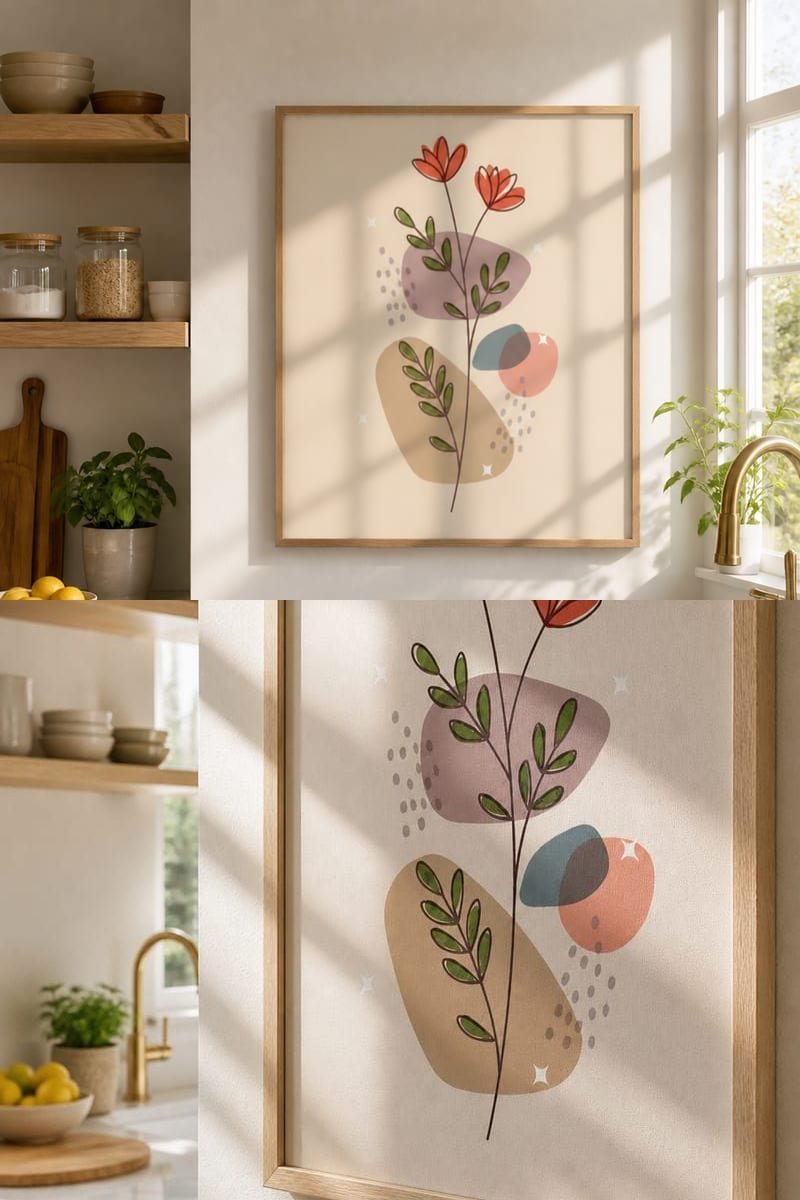
Stack two photos on a 1000 × 1500 px canvas: the room on top, a close-up of the print below. The room sells the mood and the close-up shows the detail, so the pin answers both questions at a glance. It's a good fit for prints with fine linework or texture. If you made an Etsy listing pack, you already have both photos.
3. A photo with a text band
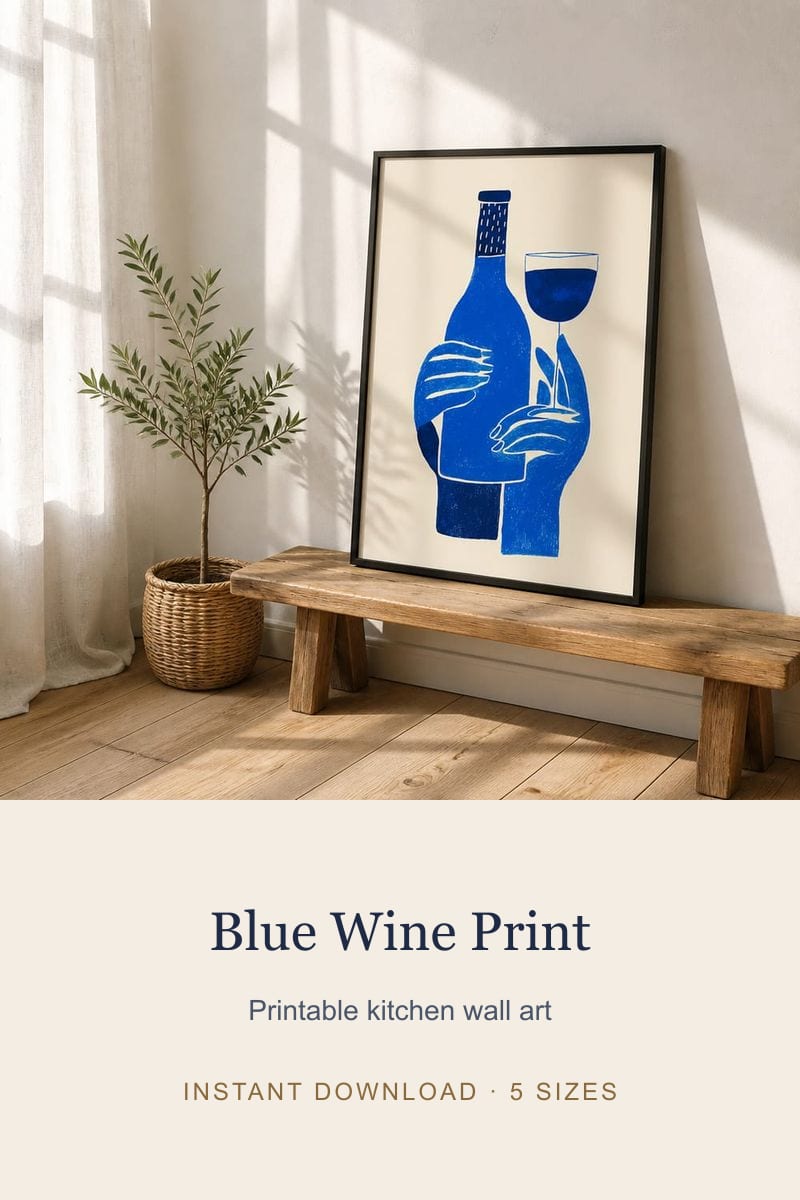
Put a square mockup on top and a band of text under it: the name of the print, the room it suits, and whether it's a printable download or a physical print. The text tells people what they're looking at before they click, which a photo alone can't do for a printable. Keep it to three short lines and use colours from the artwork.
Any free editor works. Canva, Photopea or Adobe Express can all crop to 2:3 or place photos on a 1000 × 1500 px canvas. Make one template for each layout, then swap in new mockups.
Which mockups make the best pins
- Bright, airy rooms. Pinterest is full of light, calm interiors, and dark scenes get lost in the feed.
- A room that matches the search. Someone searching "kitchen wall art" wants a kitchen. Match the room to the niche, as in our room style guide.
- The print big in the frame. A pin is seen small on a phone, so the artwork needs to fill a good part of it.
- A different room for each pin. Three pins of the same print in a bedroom, a living room and a hallway reach three different searches.
Titles, descriptions and links
Pinterest works like a search engine, so write pins the way people search:
- Title: what it is and where it goes, such as "Blue wine print for kitchen walls". Put the important words in the first 40 characters.
- Description: two or three plain sentences with the style, the room, the sizes and whether it's printable. No hashtag lists.
- Link: the Etsy listing shown in the pin, not your shop's home page. Someone who clicks a blue wine print wants to land on that print.
Boards and how often to pin
Name boards the way buyers search, such as "Kitchen wall art" or "Boho bedroom prints", rather than after your shop. Pin each new pin to the board that fits it best first.
For each listing, start with three different pins, one per layout or room, and post them over a few weeks instead of on the same day. A few new pins every week is easier to keep up than a big batch once a month, and it gives your older listings new pins too.
Selling Christmas prints? Holiday buyers are shopping now. The Christmas poster mockup generator puts your print by a decorated tree, on a mantel with stockings or in a festive hallway. The hallway room is free, no account needed.
Make the mockups for your pins
Upload a print and get it in a bedroom, kitchen, living room and more, in about 20 seconds each.
Open the app →Free to try · Credit packs from $1.99, no subscription
Frequently asked questions
What size should a Pinterest pin be?
Pinterest recommends a 2:3 aspect ratio, or 1000 × 1500 pixels. Pins taller than 2:3 may get cut off in people's feeds.
Can I pin square mockups?
Yes, square images work on Pinterest, but a 2:3 pin takes up more space in the feed. Crop the square mockup to 2:3 around the artwork, or add a text band underneath.
Should Pinterest pins link to Etsy?
Yes. Set each pin's link to the Etsy listing it shows, so someone who clicks lands on the page where they can buy it.
How many pins should I make per listing?
Start with three different pins per listing, each from a different mockup or layout, and post them over a few weeks rather than on the same day.