AI Mockups for Interior Designers: Show Clients the Art Before They Buy
Every designer has had this conversation: a client is unsure about a piece of art, and the only tools available are "picture it on that wall" and a printed sample pinned to a mood board. Both ask the client to do the hard part — imagining scale, framing, and lighting — themselves. If they get it wrong, you're the one dealing with a return or a re-order.
The fix isn't a rendering studio or a week of back-and-forth with a 3D artist. It's generating a photorealistic room scene around the actual piece of art in about 20 seconds, so the client is reacting to something they can see instead of something they have to imagine.
Quick clarification: this is not the same thing as real-estate virtual staging, which furnishes an empty listing photo. This is the opposite direction — you start with a specific piece of art and generate a room around it, in a style close to the client's actual space. If you need furniture staged into an existing listing photo, that's a different tool.
Why this fits a design workflow better than the alternatives
Three things designers usually reach for, and where each falls short for this specific job:
- 3D rendering software (SketchUp, V-Ray, etc.) — accurate, but slow. Building a scene to preview one framed piece for one client conversation is overkill, and most firms don't have a render artist on standby for that.
- Stock mockup templates — fast, but generic. The same beige-sofa-and-window template shows up in every "poster mockup" pack, and a client can usually tell it's not their room.
- A printed sample on the wall — the most accurate option when it's feasible, but it means the piece has to already be printed and framed before the client has said yes, which is backwards for anything expensive or custom.
An AI-generated room scene sits in the middle: closer to a real room than a stock template, and available in under a minute instead of after a render queue or a print order.
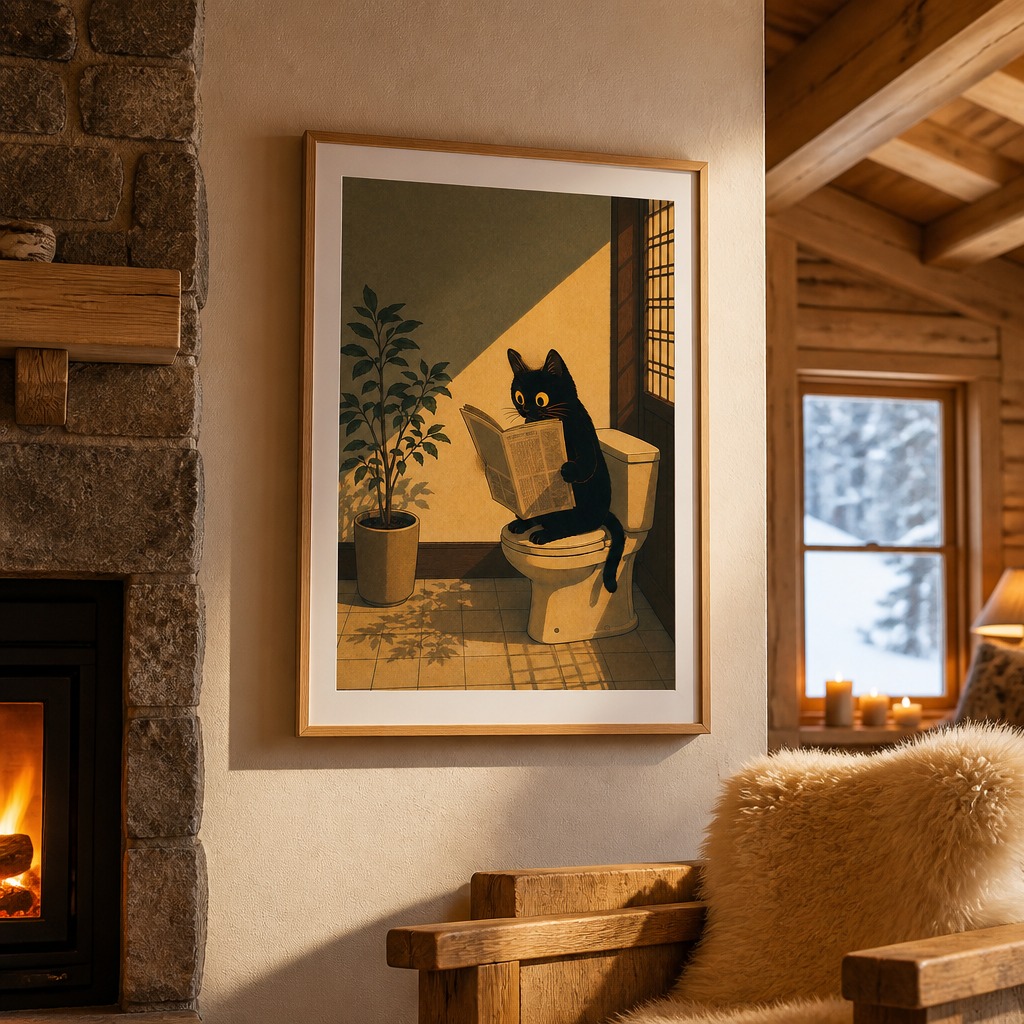
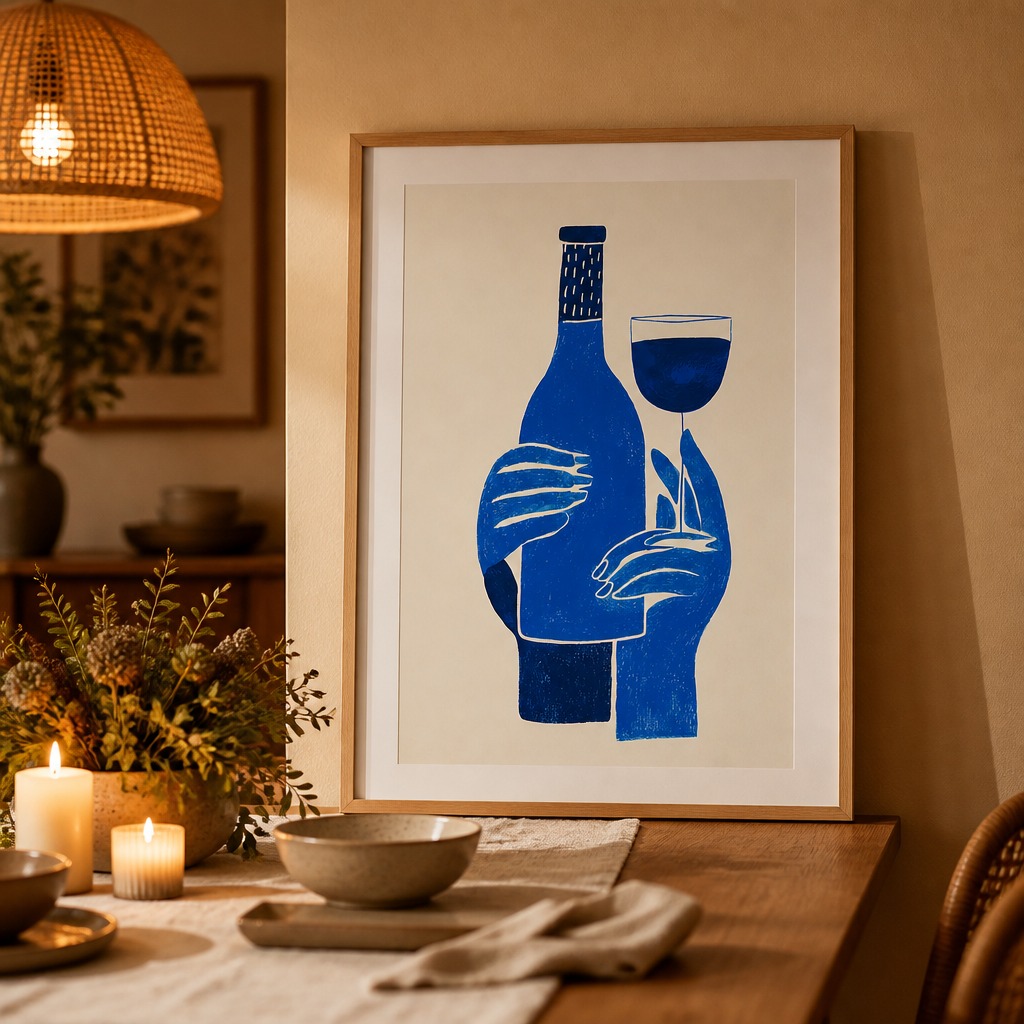
Generated directly from the artwork file — no template, no render queue.
What you need
- A high-resolution image of the artwork or print the client is considering
- A sense of the client's actual room — style, wall color, key furniture pieces
- A PosterMock AI account (Pro, $7.99/mo, unlocks the custom scene prompt and all 14 room styles — useful if you're doing this for multiple clients)
Step-by-step: building a client-ready preview
Upload the artwork
Use the highest-resolution file you have of the piece — a scan, a product photo from the print vendor, or the source design file exported as a JPG or PNG.
Pick the room style closest to the client's space
14 styles are available — Minimalist, Scandinavian, Industrial, Luxury, Gallery, Bohemian, and more. Choose whichever is the closest visual match to the client's actual room rather than whatever looks best in isolation.
Describe the client's real finishes (Pro)
The custom scene prompt lets you add specifics — "walnut sideboard, brass floor lamp, warm evening light" — so the generated room reflects the client's actual furniture and lighting instead of a generic version of the style.
Generate and drop it into the deck
Output is 2000×2000px at 300 DPI — sharp enough for a printed presentation board, not just a screen share.
Save the room, swap in alternate pieces (Pro)
If the client is deciding between two or three pieces, save the generated room as a reusable template and swap each candidate into the exact same room. The client compares options side by side in one consistent space instead of three unrelated renders.
How it compares
| Method | Cost | Turnaround | Matches client's room | Compare multiple pieces |
|---|---|---|---|---|
| PosterMock AI | Free – $7.99/mo | ~20 seconds | Closest style + custom prompt | Yes, saved room templates |
| 3D rendering (SketchUp/V-Ray) | $100s–$1,000s or in-house time | Hours to days | Exact, if modeled | Yes, but each takes real time |
| Stock mockup templates | $9–$15/mo | ~2 minutes | No — fixed stock photo | Same template for everyone |
| Print and photograph on-site | Cost of the print + framing | Days | Exact | One piece at a time, committed cost |
Tips for better client presentations
Don't skip the custom prompt for higher-stakes decisions
For a quick gut-check, the room style alone is usually enough. For a piece the client is genuinely on the fence about, spend the extra 20 seconds describing their actual finishes — it's the difference between "here's roughly the vibe" and "here's basically your room."
Generate 2–3 lighting variants
Natural, warm, and bright lighting moods change how a piece reads dramatically. If the client's room gets strong afternoon light or is mostly lamp-lit in the evening, generate the variant that matches when they'll actually be looking at the wall.
Keep the saved room, reuse it for the next project
Room templates persist, so a room style you've dialed in for one client's aesthetic can be reused as a starting point for a similar brief later, rather than rebuilding the custom prompt from scratch each time.
Show the room, not just the art
Upload a piece, pick a style close to your client's space, and get a presentation-ready preview in under a minute.
Try free — no account needed →2000×2000 · 300 DPI · 14 room styles · No design software needed
Frequently asked questions
Is this the same as real-estate virtual staging?
No. Real-estate virtual staging adds furniture into an existing empty-room photo. This tool does the opposite: it generates a new room scene around a specific piece of art, in a style close to the client's space, rather than staging a photo of their actual room.
Can I use my client's actual room photo?
Not directly — the tool generates a fresh room in the style you select rather than compositing into an uploaded photo of a specific room. Get as close as possible by choosing the nearest room style and describing the client's real furniture and finishes in the custom scene prompt (Pro).
Can I use these previews in client-facing deliverables?
Yes. Anything generated is yours to use in presentations, mood boards, or proposals for your own clients.
Is this worth it if I only do this occasionally?
The free tier covers occasional use without a subscription. If you're presenting art options regularly across multiple clients, Pro's custom prompt and saved room templates pay for themselves the first time they save you a rendering-studio invoice.
See also: our guide on framed vs. unframed mockups if you're deciding how to present a piece that hasn't been framed yet.