How We Make AI Mockups Look Like Real Photos, Not Renders
You can spot a lazy AI mockup in half a second. The t-shirt looks like plastic. The model has the same flawless stock-photo smile as every other listing. The light is flat and comes from nowhere. The poster floats on the wall like a sticker, and sometimes the design itself has been quietly stretched or redrawn. Buyers notice, even if they can't say why, and it makes a good product look cheap.
In September 2026 we rebuilt every PosterMock AI generator (posters, t-shirts, tote bags and stickers) around one goal: a mockup should look like a photo a professional shot on location, not something a computer rendered. This post explains how we did it and shows real before/after results from the same design.
Why most AI mockups look fake
Image models are very good at rendering. What they need is direction, and most mockup tools give them a vague one-liner like "a t-shirt mockup, photorealistic, high quality." That leaves the model to guess, and its guesses are always the same: studio-perfect, evenly lit, smiling, glossy. It's the "AI look."
When we audited our own generators, we found a second, less obvious problem: instructions that contradicted each other. A few real examples we fixed:
- A poster prompt asked for a lens and distance that physically couldn't fit the whole frame in the shot, and then separately demanded that no edge of the frame be cropped. The model had to break one rule.
- A mat (passepartout) instruction clashed with "fill the frame edge to edge."
- Room styles were described in rich detail, and then the prompt asked for a blurred background that washed that detail away.
- T-shirt street scenes set "outdoors on a city street" were still told to use "studio lighting."
Every contradiction is a coin flip, and coin flips make results inconsistent. Removing them made the generators far more predictable before we even touched the "look."
Our method: four steps for every product
Collect professional reference photography
For each product we gathered the kind of product photos that actually sell: premium framed-print shots, fashion e-commerce and streetwear campaigns, tote bag lifestyle shoots, sticker brand photography. These became the quality bar every result is judged against.
Break down what makes them look real
Light and shadow, camera angle, framing, materials, how people stand, what they wear. We looked for the patterns shared across the best photos, and for the small details a render always misses.
Write a photographer's brief for every scene
Each generator now works from a structured, prioritized brief: design fidelity first, then the product, the scene, the camera, the light and the finishing details. Lighting and camera change with the scene you pick, so an overhead flat-lay and a street shot each get the direction a real photographer would use.
Test side by side, and zoom in
Every change was tested by generating the same design with the old and new direction and comparing the results. Then we zoom into the print itself (thin stripes, small text, tiny dots) to confirm the design came through intact.
The image model does the rendering. What makes PosterMock AI different is the direction on top of it: detailed, contradiction-free, and refined against real photography for each product and scene.
What we learned from real product photography
Light has a direction, and it touches everything
The single biggest difference between a real photo and a render is light. In the best framed-print photos, warm sunlight comes through a window just out of frame, and its shadows (window panes, curtain folds, leaves) fall across the wall and across the print itself. That's what tells your brain the poster is really in the room. Our Natural light option now works this way, with the shadows kept soft enough that your design stays fully legible.
Real models, photographed realistically
The best apparel photos don't use "perfect" AI faces. They use real-looking people with natural skin texture and relaxed poses (a hand in a pocket, looking slightly away), in a styled outfit, with a calm expression instead of a posed grin. Our t-shirt models are now directed exactly that way, in the relaxed, oversized fit that dominates current streetwear.
The product is the star
In the best tote bag photos the face is usually out of frame: the person stands in profile and the bag hangs flat with the print facing the camera. We made the held tote shot product-first, and made sure the printed front always faces the lens (our old version sometimes turned it away).
Small physical details sell the illusion
A real sticker has a thin white vinyl border, a cut edge you can just see the thickness of, a contact shadow and a highlight catching its laminate. A real canvas tote sags under its own weight. A real poster frame has depth you can see when the camera is slightly angled. These details are now part of every brief.
Before and after: the same design, old vs. new
In each pair below, both images were generated from the same design with the same settings: the old generator on the left, the rebuilt one on the right.
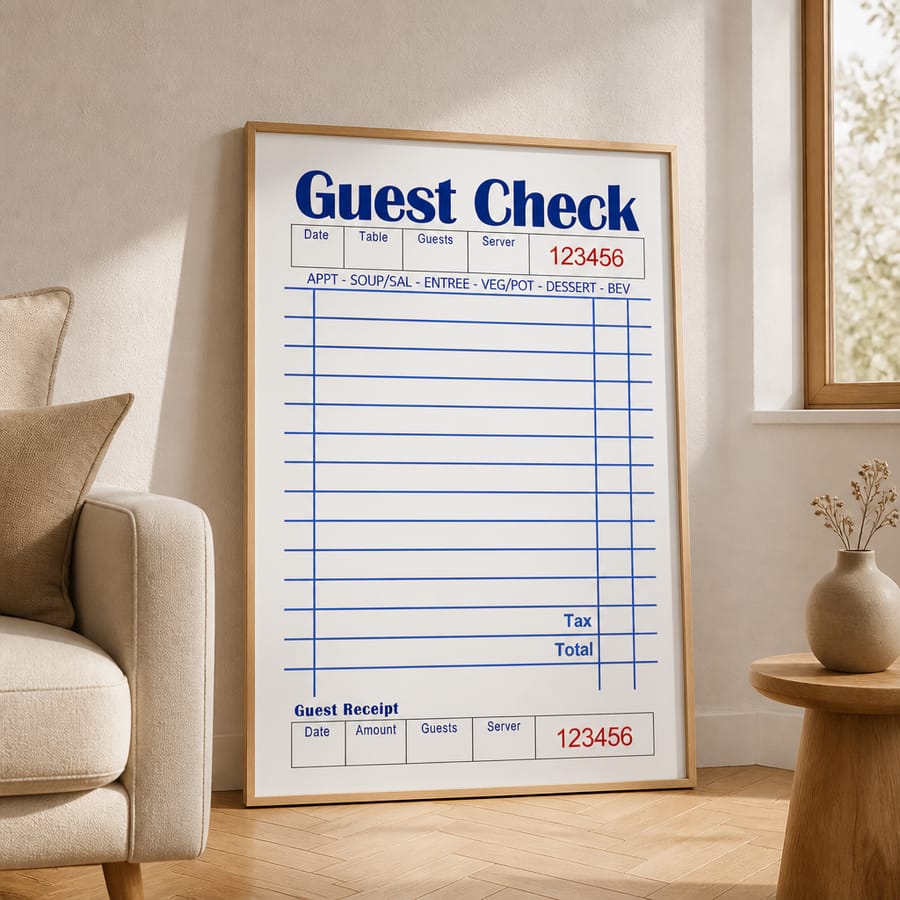
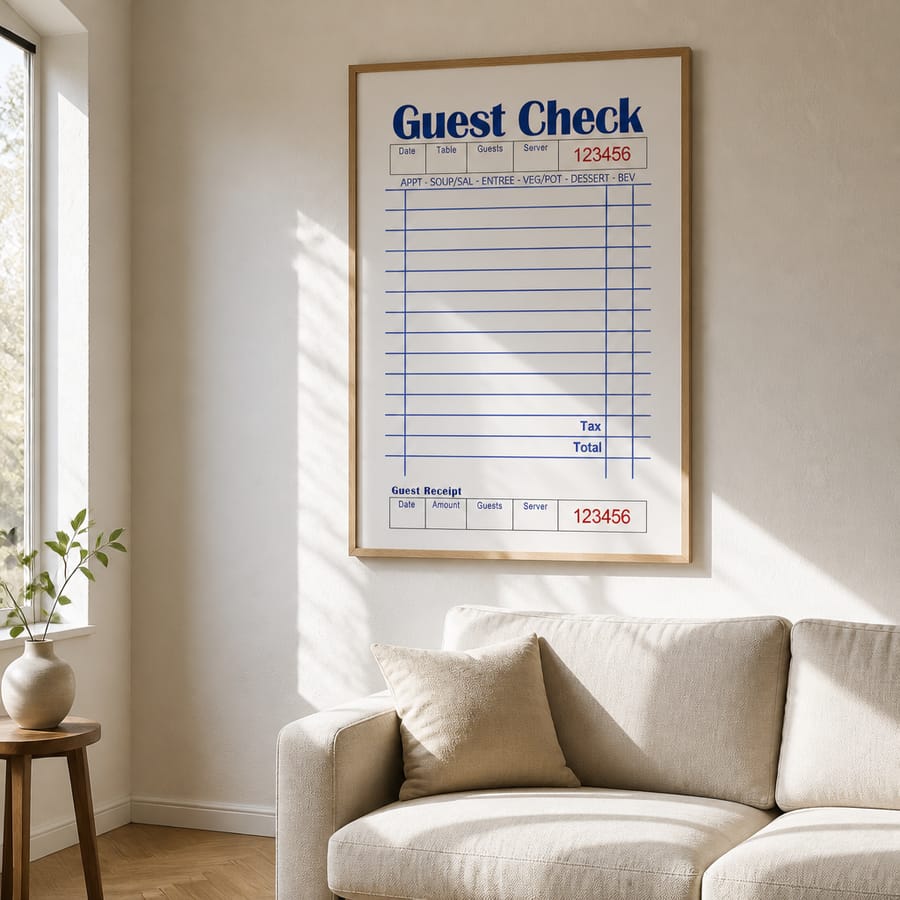
Poster, before → after: asked for a hanging frame, the old version left it on the floor. Now it hangs above the sofa, with window light falling across the wall and the print.
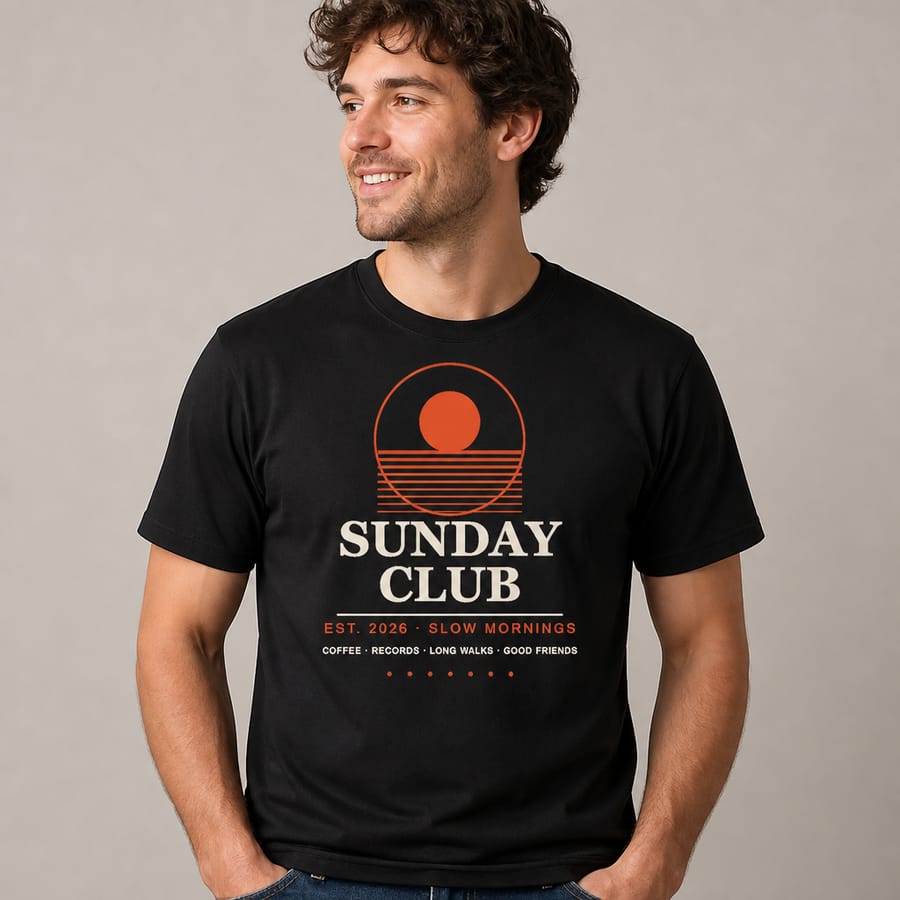
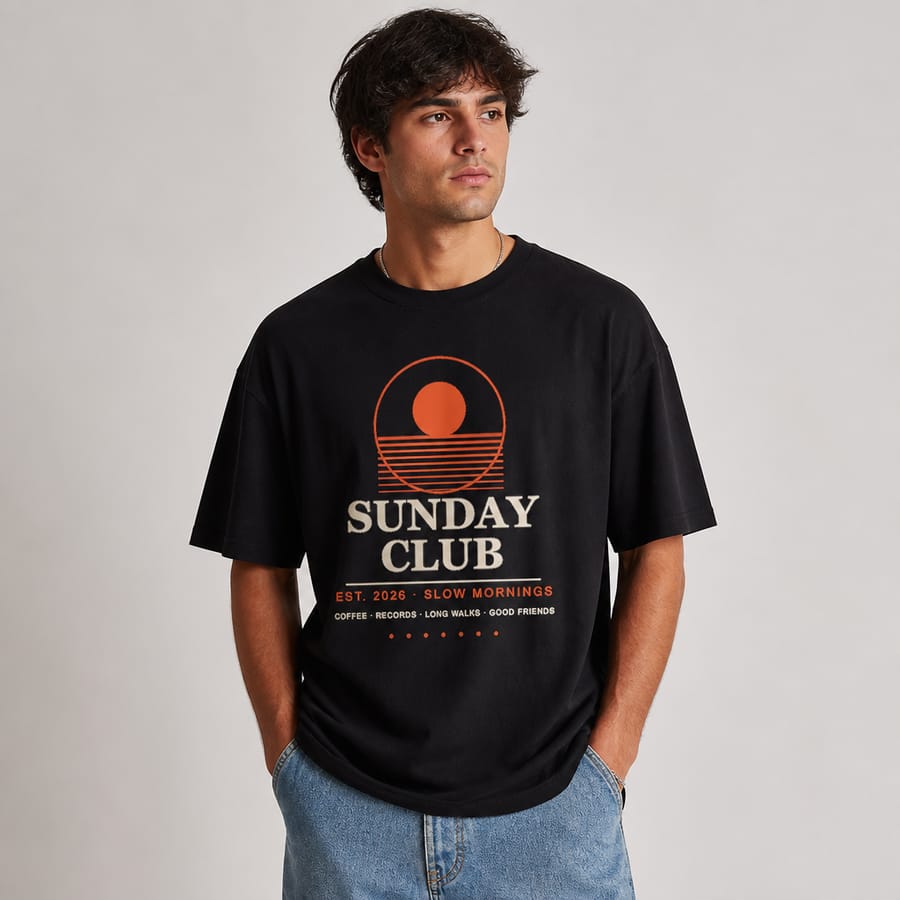
T-shirt, before → after: stock-photo smile and regular fit → natural expression, relaxed pose, oversized fit.
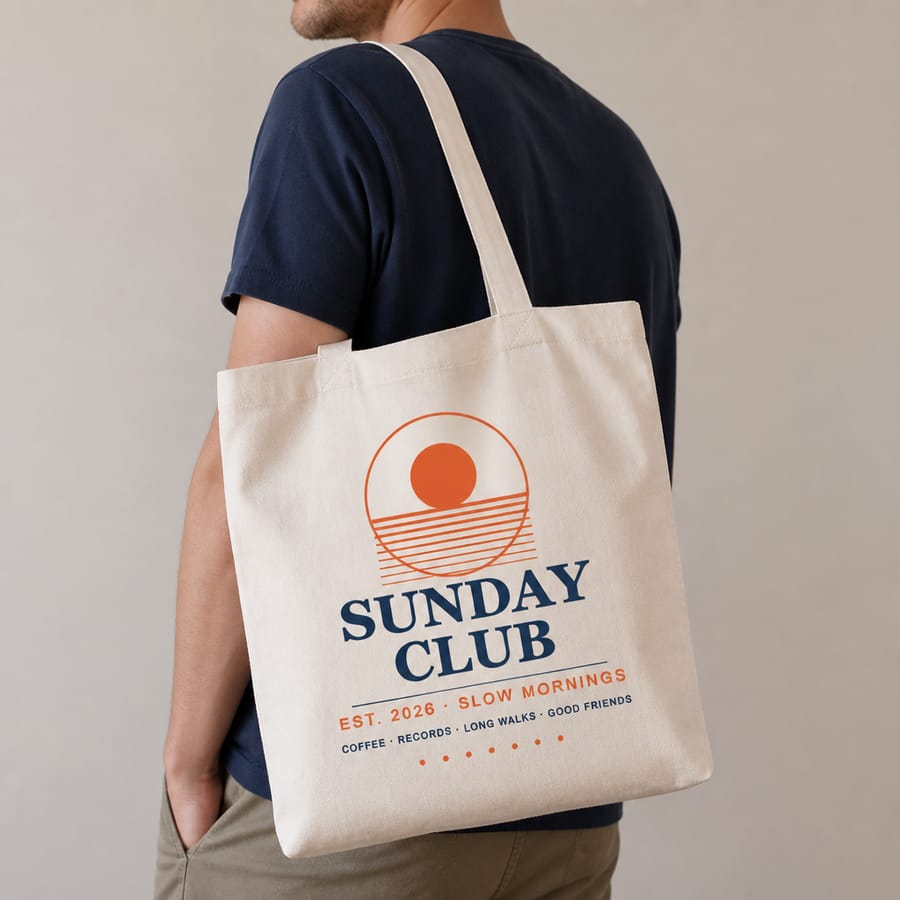
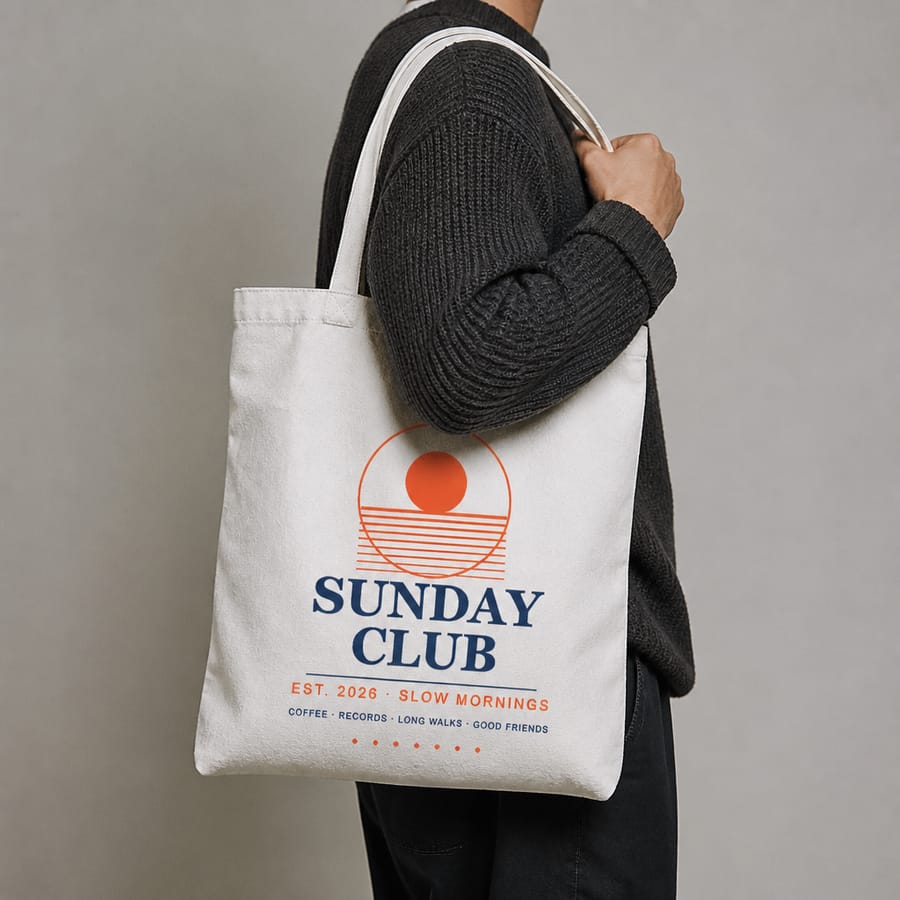
Tote bag, before → after: product-first framing, softer canvas, print facing the camera.
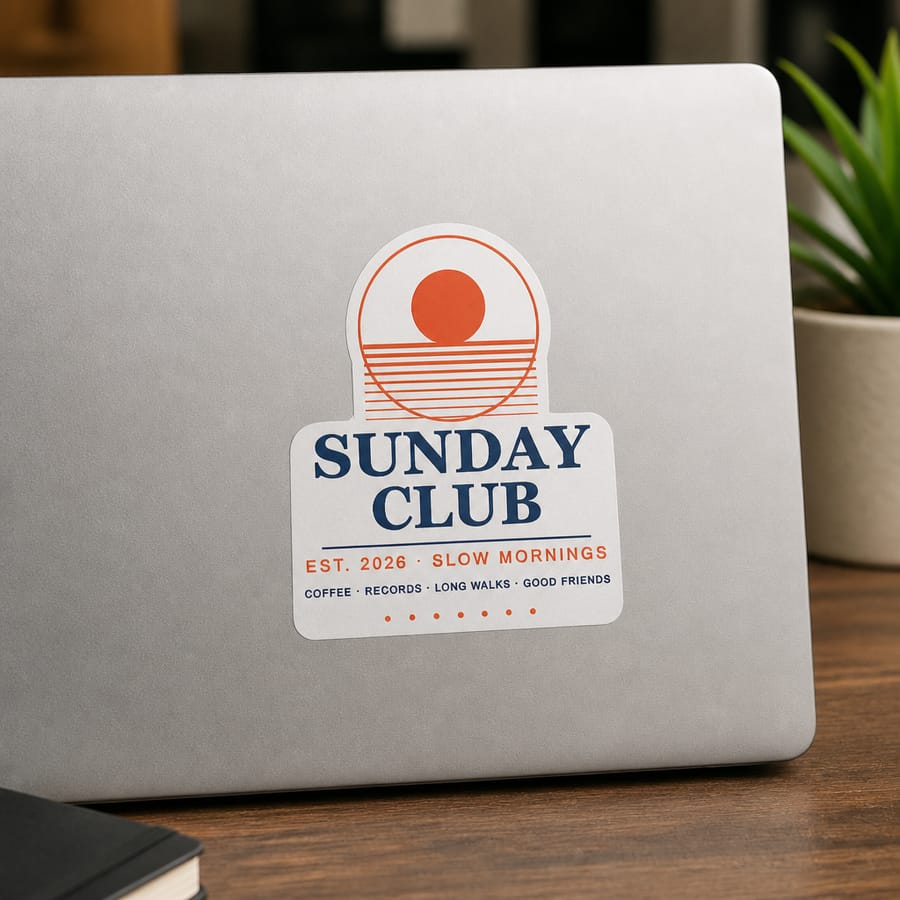
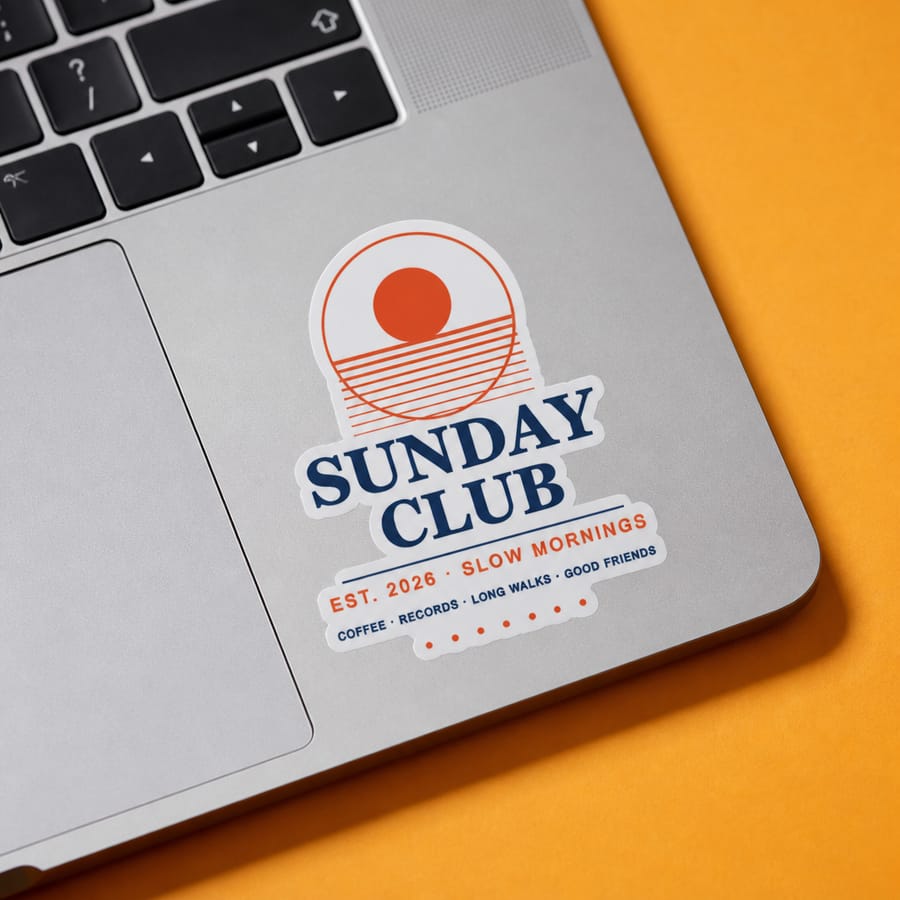
Sticker, before → after: on the palm rest next to the keyboard, bold background, visible vinyl edge.
What changed in each generator
| Product | What's new |
|---|---|
| Posters | Window-light shadows that fall across the wall and the print; a slight camera angle so the frame's depth shows; frames drawn at the exact proportions of your artwork (choose a matching print size like 18×24 or A2); Leaning placement that keeps your chosen room |
| T-shirts | Real-looking models with natural skin and relaxed poses; oversized fit; styled outfits; streets you can actually recognize behind the model |
| Tote bags | Product-first held shots; hard sunlight outdoors with the person's shadow on the wall; soft, used-looking canvas |
| Stickers | Bold colored backgrounds; laptop palm-rest placement; visible vinyl edge and finish highlights; a sticker sheet with a hand peeling one off; a new Phone Case scene |
The one rule that never bends: your design
Realism is worthless if the AI "improves" your artwork. Across every product, the first instruction is always the same: reproduce the design exactly. Every shape, line stroke, small dot and text character must match your file. Nothing gets simplified, merged or redrawn. We also state your design's real proportions, so a tall design is never squashed into a generic print shape.
Honest note: AI isn't perfect, and very small text is the hardest thing for any image model. Our tests check fine details on every change, but always look over a mockup before you list it. If something's off, simply generate again. Every result is unique.
Make it yours: custom details and quick picks
The defaults are tuned to look like professional photography, but your brand might need something specific. On Pro, the Personalize box lets you describe the model (age, look, pose, outfit) or the setting, and your details take priority over the defaults. Quick-pick chips like looking away from the camera, held by the handles or rainy day outside the window add common options in one click.
See the difference on your own design
Upload a poster, t-shirt, tote or sticker design and get a realistic mockup in under 30 seconds.
Try free — no account needed →2000×2000 · 300 DPI · No watermark
Frequently asked questions
Does the AI change or redraw my design?
It is instructed not to. Every generator puts design fidelity first: every shape, line, dot and letter of your upload must appear exactly as in your file. In our side-by-side tests we zoom into the print to check fine details like thin stripes and small text. AI can still occasionally slip on very tiny text, so always look over a mockup before listing it.
Is every mockup unique?
Yes. Each mockup is generated fresh around your design, so no other seller has the same room, model or scene. Nothing is pasted onto a shared stock template.
Can I control the model, pose or setting?
On Pro, yes. The Personalize box lets you describe the model (age, look, pose, outfit) or the setting, and your details take priority over the defaults. Quick-pick chips add common options in one click. Your details never change the design itself.
Can I use these mockups commercially?
Yes. Anything you generate is yours to use in Etsy or Shopify listings, social media and ads, on any plan.