Poster Print Sizes by Aspect Ratio: 2:3, 3:4, 4:5 & A-Series
"Will this fit an 18x24 frame?" is one of the most common questions print sellers get, and one of the most common reasons for returns and bad reviews. The answer almost never depends on the size itself. It depends on the aspect ratio: the shape of the print, width divided by height.
Sizes that share a ratio are just scaled versions of each other. One file prints perfectly at all of them. Sizes with different ratios need a different file, or part of your artwork gets cropped. This guide groups every common poster size by ratio, with the pixel dimensions you need for each.
How to find your artwork's aspect ratio
Divide the width by the height, in pixels or in inches. It's that simple:
- 7200 × 10800 px → 7200 ÷ 10800 = 0.667 → 2:3
- 5400 × 7200 px → 0.75 → 3:4
- 2400 × 3000 px → 0.8 → 4:5
- 2480 × 3508 px → 0.707 → ISO A-series (A4, A3, A2…)
Then find that number in the chart below. Every size in the same row family prints from your file without cropping.
Skip the math: drop your file into the free print size calculator. It shows the ratio, every standard size your file fits, and how large it prints sharp at 300 DPI.
The complete chart: print sizes grouped by ratio
2:3 ratio (0.667): the most versatile
| Size | Centimeters | Pixels at 300 DPI |
|---|---|---|
| 4 × 6 in | 10.2 × 15.2 cm | 1200 × 1800 |
| 8 × 12 in | 20.3 × 30.5 cm | 2400 × 3600 |
| 12 × 18 in | 30.5 × 45.7 cm | 3600 × 5400 |
| 16 × 24 in | 40.6 × 61 cm | 4800 × 7200 |
| 20 × 30 in | 50.8 × 76.2 cm | 6000 × 9000 |
| 24 × 36 in | 61 × 91.4 cm | 7200 × 10800 |
| 40 × 60 cm | 40 × 60 cm | 4724 × 7087 |
| 60 × 90 cm | 60 × 90 cm | 7087 × 10630 |
This is the ratio of standard 35mm photography, which is why so many poster sizes use it. A single 24 × 36 file covers eight common sizes.
3:4 ratio (0.75)
| Size | Centimeters | Pixels at 300 DPI |
|---|---|---|
| 6 × 8 in | 15.2 × 20.3 cm | 1800 × 2400 |
| 9 × 12 in | 22.9 × 30.5 cm | 2700 × 3600 |
| 12 × 16 in | 30.5 × 40.6 cm | 3600 × 4800 |
| 18 × 24 in | 45.7 × 61 cm | 5400 × 7200 |
| 30 × 40 cm | 30 × 40 cm | 3543 × 4724 |
| 60 × 80 cm | 60 × 80 cm | 7087 × 9449 |
4:5 ratio (0.8)
| Size | Centimeters | Pixels at 300 DPI |
|---|---|---|
| 4 × 5 in | 10.2 × 12.7 cm | 1200 × 1500 |
| 8 × 10 in | 20.3 × 25.4 cm | 2400 × 3000 |
| 16 × 20 in | 40.6 × 50.8 cm | 4800 × 6000 |
| 24 × 30 in | 61 × 76.2 cm | 7200 × 9000 |
| 40 × 50 cm | 40 × 50 cm | 4724 × 5906 |
11:14 ratio (0.786): the odd one out
| Size | Centimeters | Pixels at 300 DPI |
|---|---|---|
| 11 × 14 in | 27.9 × 35.6 cm | 3300 × 4200 |
| 22 × 28 in | 55.9 × 71.1 cm | 6600 × 8400 |
11 × 14 is a very popular US frame size, but it isn't 4:5. It's about 2% narrower. Printing a 4:5 file at 11 × 14 trims a thin strip, which is fine for loose artwork but noticeable on designs with borders or text near the edges. That's why most digital download shops include a separate 11 × 14 file.
ISO A-series (1:√2 ≈ 0.707): the international standard
| Size | Centimeters | Pixels at 300 DPI |
|---|---|---|
| A4 | 21 × 29.7 cm | 2480 × 3508 |
| A3 | 29.7 × 42 cm | 3508 × 4961 |
| A2 | 42 × 59.4 cm | 4961 × 7016 |
| A1 | 59.4 × 84.1 cm | 7016 × 9933 |
| 50 × 70 cm | 50 × 70 cm | 5906 × 8268 |
Each A size is exactly half the next one up, so the ratio never changes. If you sell to Europe, the UK or Australia, include an A-series file. 50 × 70 cm (0.714) and 5 × 7 in are about 1% off the A ratio, close enough that only a sliver gets trimmed.
How many pixels do you really need?
300 DPI is the print industry standard and the safe choice for anything viewed up close (up to about 16 × 20). Large posters are usually viewed from a few feet away, so 150 DPI is often acceptable at 24 × 36 and above. That's 3600 × 5400 px instead of 7200 × 10800. If you can, design at the largest size in each family at 300 DPI; scaling down is always clean, scaling up never is.
Tip: Design in the ratio, not the size. Set up your canvas at 2:3 (for example 7200 × 10800) and you've already covered every 2:3 size in the chart. Then adapt the layout for the other ratios rather than stretching it. Stretched artwork is the #1 giveaway of a careless print shop.
Setting up digital download files for Etsy
Etsy lets you attach up to 5 files to a digital listing, each up to 20 MB. The most common setup for printable wall art is one file per ratio:
- 2:3 (covers 4×6 up to 24×36)
- 3:4 (covers 6×8 up to 18×24)
- 4:5 (covers 8×10, 16×20)
- 11×14
- ISO A (A4 up to A1)
If a large file goes over 20 MB, export as a high-quality JPG instead of PNG, or offer the largest size at 150 DPI. List every size covered in your description; buyers search for the exact size they have a frame for.
Show the right size in your mockups
Here's a mistake that's easy to miss: your listing says "fits an 18 × 24 frame," but the mockup photo shows your art in a frame of a completely different shape, or worse, stretched to fit one. Buyers notice, and it undermines trust in the size you're promising.
PosterMock AI handles this for you. When you upload a poster, the app reads its aspect ratio and only suggests print sizes that match it: a 2:3 design gets 12 × 18, 24 × 36, 60 × 90 cm and so on; an A-series design gets A4 to A1. The frame in the generated room is drawn at those exact proportions and at a realistic physical size next to the furniture, so what buyers see is what they'll actually hang.
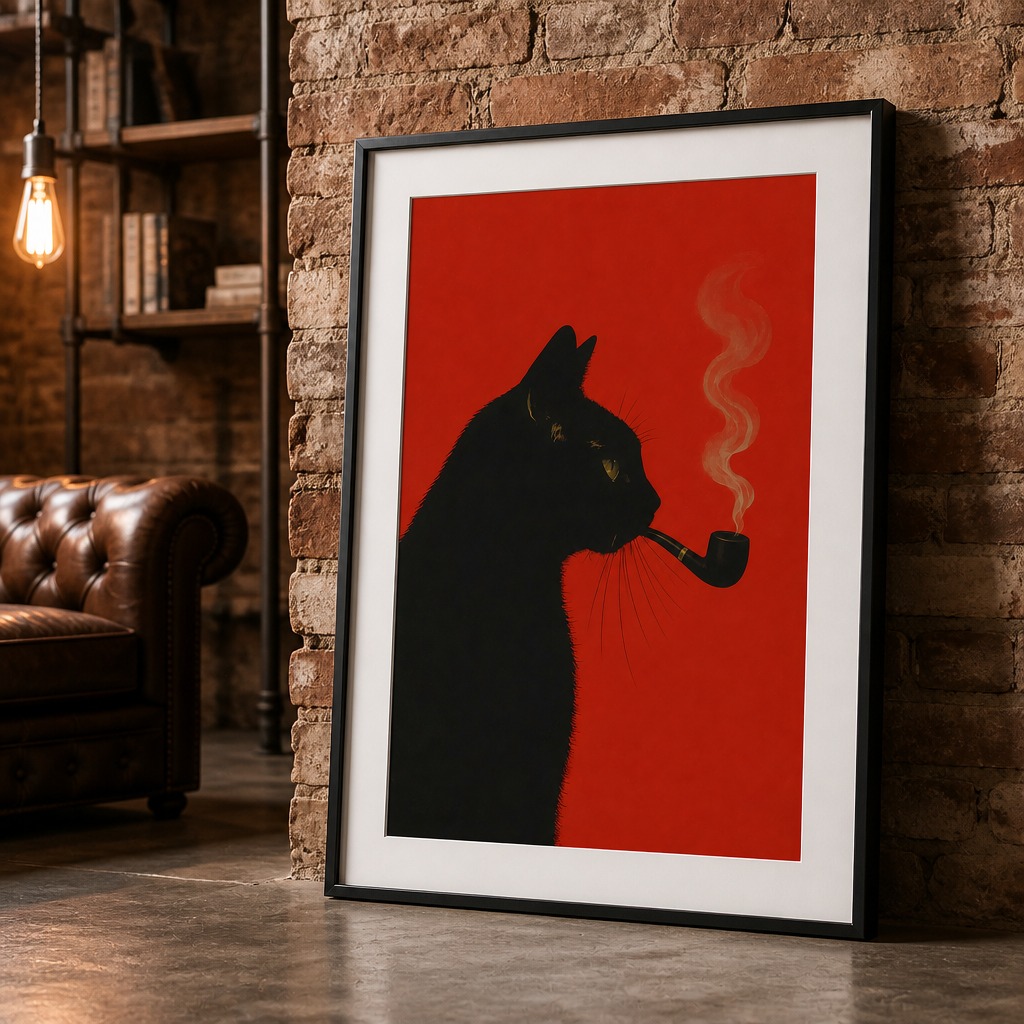
Mockups that match your real print sizes
Upload your poster, pick a matching size, and get a realistic room mockup in under 30 seconds.
Try free — no account needed →2000×2000 · 300 DPI · No watermark
Frequently asked questions
What aspect ratio is a 24x36 poster?
2:3. 24 ÷ 36 = 0.667, the same ratio as 4x6, 8x12, 12x18, 16x24, 20x30 inches and 40x60 or 60x90 cm. One 2:3 file prints at all of these sizes without cropping.
What aspect ratio is 18x24?
3:4. It shares its ratio with 6x8, 9x12 and 12x16 inches and 30x40 cm.
Is 8x10 the same ratio as 16x20?
Yes. Both are 4:5. 11x14 is close (about 2% narrower) but not identical, so it needs its own file if you want no cropping at all.
How many pixels do I need for a 24x36 print?
7200 × 10800 pixels at 300 DPI. Large posters are viewed from a distance, so 150 DPI (3600 × 5400) is often acceptable, but 300 DPI is the safe standard for sellers.
Is 5x7 the same ratio as A4?
Almost. 5x7 is 0.714 and A-series is 0.707, about a 1% difference. A file made for one will print on the other with only a sliver trimmed off.