Set of 3 Prints Mockup: How to Show a Print Set on Etsy
A set of prints is a different product from three single prints. The buyer is paying for how the prints look together: the matching frames, the row on the wall, the way the colours repeat from one to the next. If your listing only shows each print on its own, the buyer has to imagine the set. This guide covers the photo that shows it for them, and how to make it.
The photo a set listing can't do without
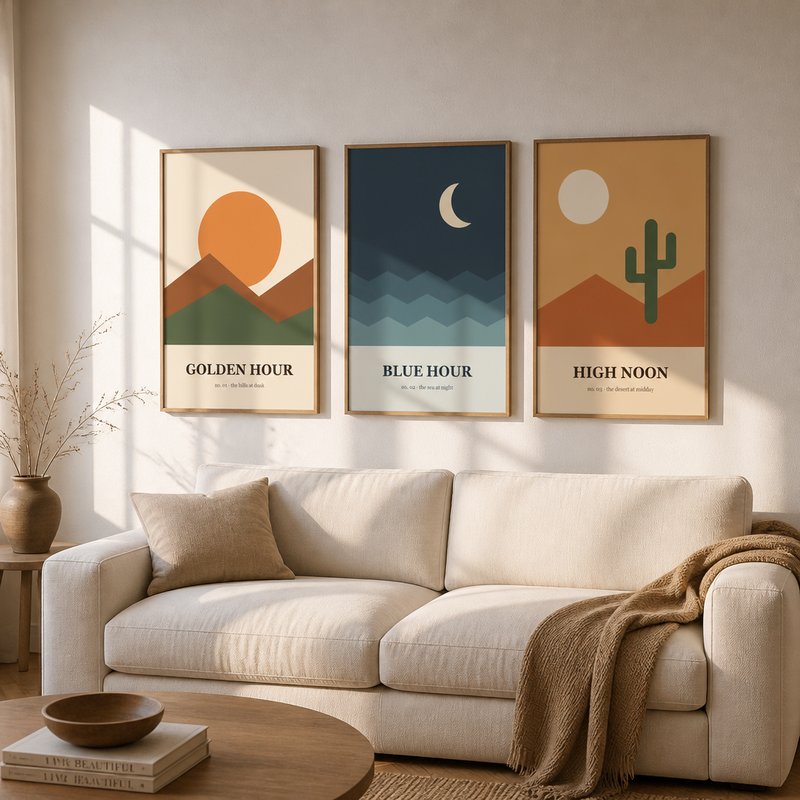
Put the whole set in one room as your first photo. It's the thumbnail in search results, so it's what tells a shopper scrolling past that this listing is a set, before they read the title. Then build the rest of the listing around it:
| Photo | What it shows |
|---|---|
| 1. The set in a room | All prints together, hung in a row. Your thumbnail. |
| 2. The set again, styled differently | Another room, or leaning on a mantel or sideboard, so buyers see it fits more than one space. |
| 3–5. Each print on its own | One mockup per design, so buyers can see every print up close. |
| 6. Close-up | Paper texture and detail of one print. |
| 7. Size chart | The sizes the set comes in, and "digital download" if it's a printable. |
The single-print photos and the close-up are easy to make one at a time, or all at once with the Etsy listing pack. The set photo is the one that's usually hard, because most mockup templates have one frame.
Choosing designs that work as a set
A set reads as a set when the prints obviously belong together but aren't copies of each other. Things that tie them together:
- A shared palette. Two or three colours that repeat across every print. In the example above, the pale title band and the muted, earthy tones repeat across all three.
- The same style and type. Same illustration style, same fonts, same layout (for example, art on top and a title underneath).
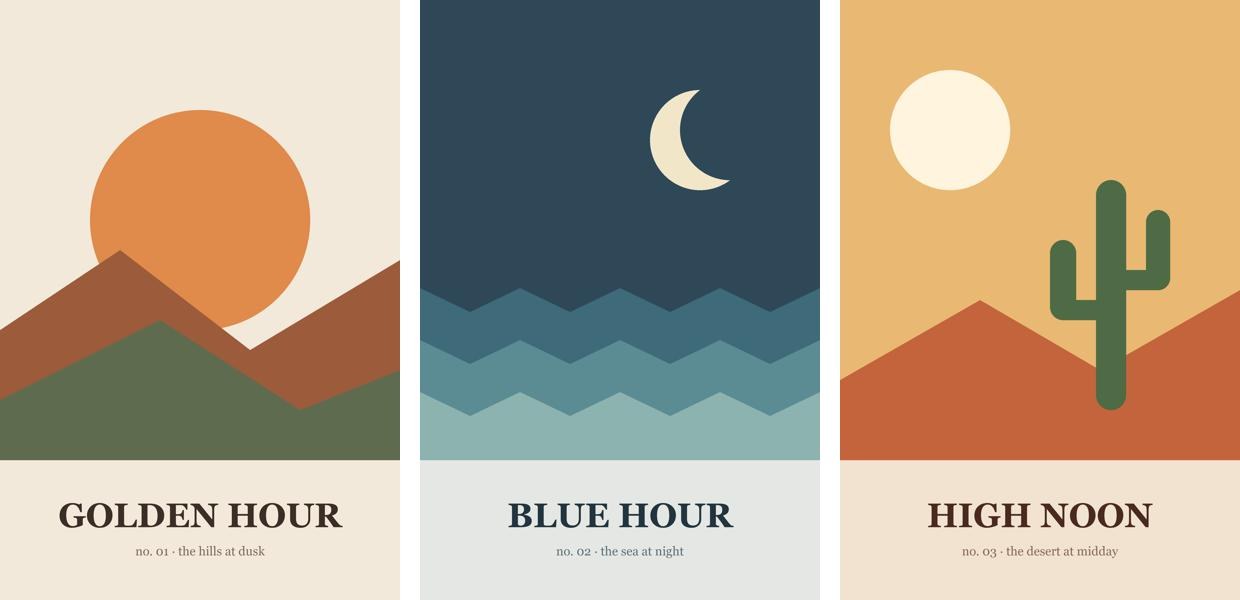
- One theme with variations. Times of day, seasons, botanicals, cities, a numbered series ("no. 01, 02, 03").
- The same shape. Sets hang as a row of matching frames, so every design needs the same ratio. If one doesn't match, resize it first with the free printable wall art resizer.
Which print goes in the middle?
In a set of 3, the middle print anchors the row. Two common approaches:
- Strongest in the middle. Put the darkest or busiest design in the centre and the lighter ones either side. The row looks balanced, like the dark Blue Hour print between two light ones above.
- Follow the story. If the prints are a sequence (morning, noon, night, or 01, 02, 03), keep the order buyers will read left to right.
For a set of 2, look at which way each design leads the eye. A path, a horizon or a figure looking sideways should point towards the other print, not out of the pair, so put each design on the side that makes that happen.
Hung in a row or leaning?
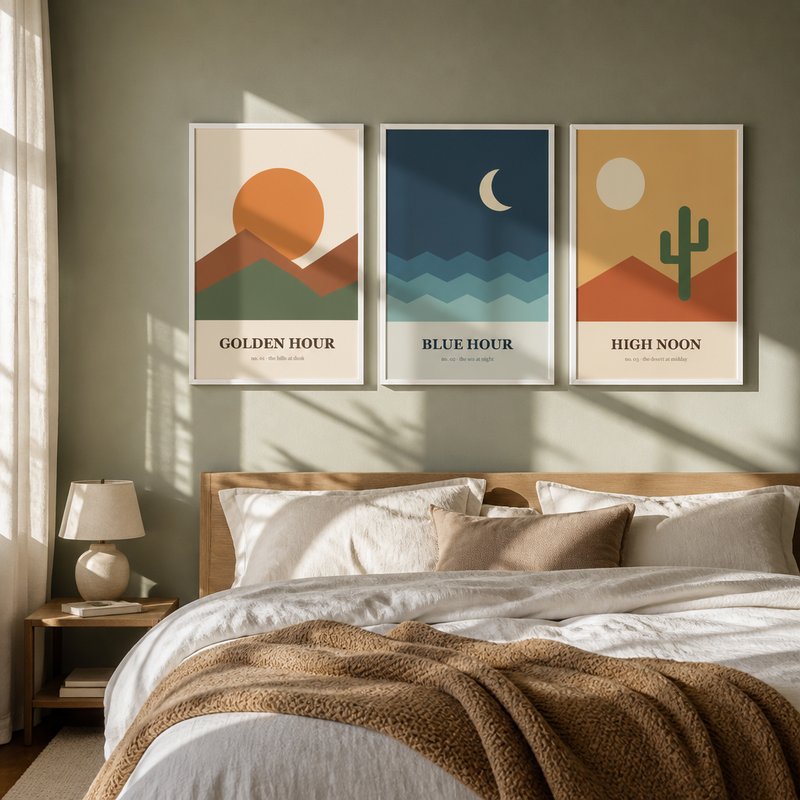
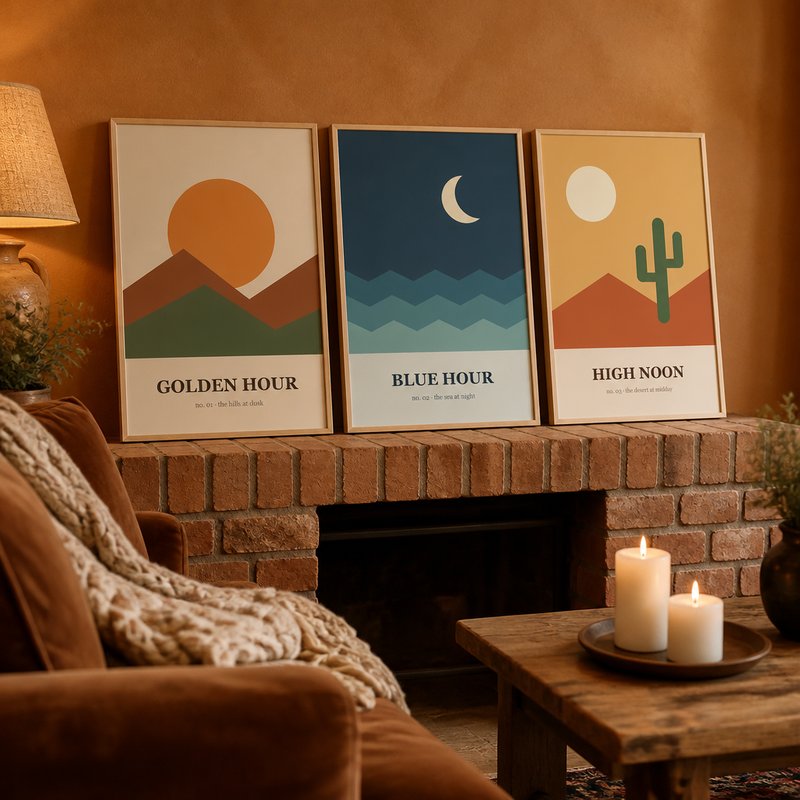
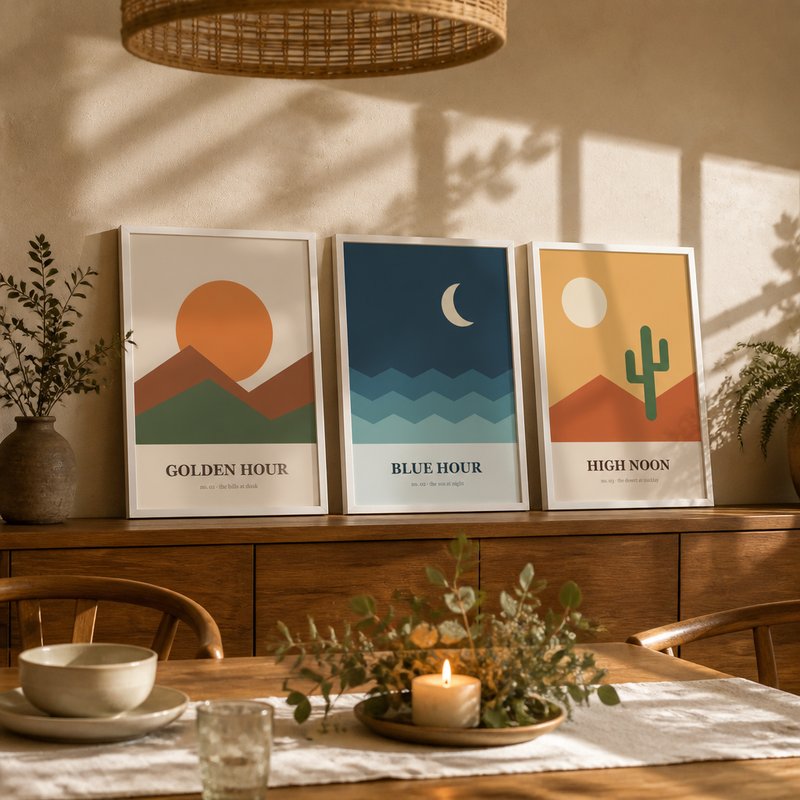
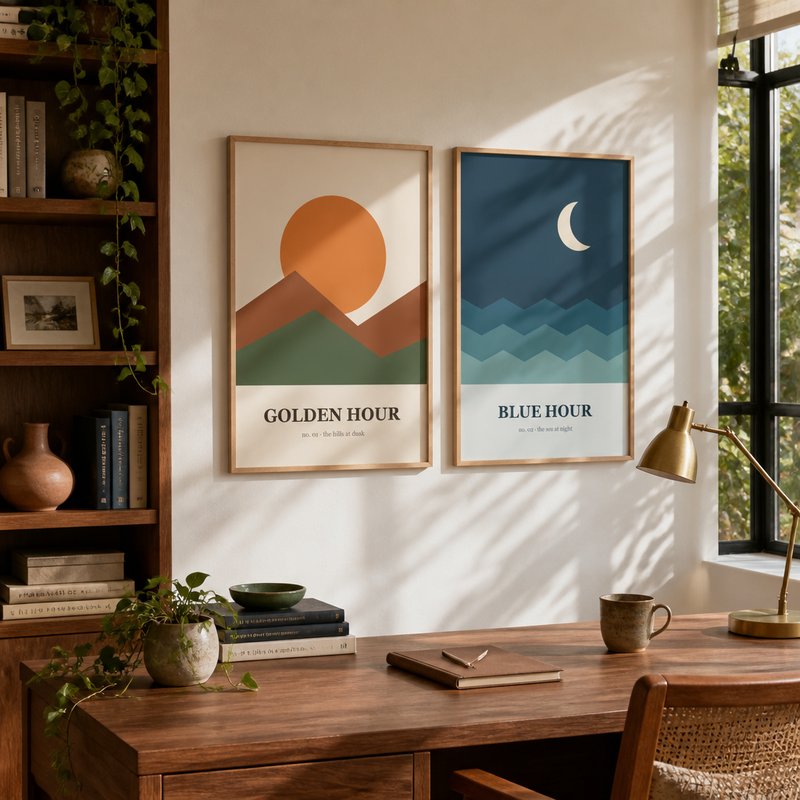
Hung in a straight row over a sofa, bed or bench is the classic set photo, and the best thumbnail: it's tidy, symmetrical and reads clearly when small. Leaning on a mantel, sideboard or the floor looks more casual and styled. It makes a good second set photo, and suits shops with a relaxed, lived-in look. Either way, matching frames with even gaps between them are what make it read as one piece.
How to make a set mockup in PosterMock AI
- Open the mockup generator and upload your first design. This one goes on the left, and its print size is used for the whole set.
- Under your poster, switch Prints to Set of 2 or Set of 3, and add the other designs in the tiles, in left-to-right order.
- Pick a room style, frame, mat and light, and choose Hanging or Leaning. You can also describe extra details for the room.
- Click Generate Set of 2 or Set of 3. You get one 2000 × 2000 px photo with every print in its own matching frame, in about 15 seconds.
A set costs 10 credits, the same as two single mockups, whether it has 2 prints or 3. Sets come with the 7-day Pro trial on a free account, every credit pack (from $1.99, no subscription) and Pro.
What to check before you publish
We tested sets on 11 different room and frame combinations before launch: every time, each design came out once, in its own frame, in the right order. Titles and shapes come through cleanly. Like any AI mockup, very small text can come out soft or garbled, because each print gets only part of the image. If your designs have fine print, look closely at the result and use a single-print close-up for the detail.
Selling Christmas prints? Holiday buyers are shopping now. The Christmas poster mockup generator puts your print by a decorated tree, on a mantel with stockings or in a festive hallway. The hallway room is free, no account needed.
Show your set the way buyers will hang it
Upload two or three designs and get them framed side by side in a real room: 22 room styles, hung or leaning, your frame and light.
Make a set mockup →Included in the 7-day Pro trial when you sign up free · 10 credits per set
Frequently asked questions
How do I make a mockup of a set of 3 prints?
Upload your first design, switch Prints to Set of 3 and add the other two. Pick a room, frame and light, and all three are framed side by side in one photo, in your order. About 15 seconds, 10 credits.
Do all prints in a set need to be the same size?
For a set listing, yes: matching sizes are what make them hang as a row. Every print in the mockup uses the first design's size, so crop or resize any design with a different shape first.
Can I make a mockup of a set of 4 or more prints?
Not yet: sets of 2 and 3 are supported. For a larger gallery wall, lead with a set of 3 and add single-print mockups for the rest.
Is the set mockup included in the free trial?
Yes. It comes with the 7-day Pro trial on a new free account, every credit pack and Pro.
Will the AI keep my designs exactly?
Shapes, colours and large text come through well, and each design stays in its own frame in your order. Very small text can come out soft, so check the result before you publish.