AI Sticker Sheet Mockup Generator for Etsy Sellers
A single die-cut sticker on a laptop tells a buyer what the design looks like. A sticker sheet photo tells them something different — quantity, value, and the "pack" feel that makes a listing look like a real product rather than one image pasted onto a blank. It's one of the most common photo types on Etsy sticker listings, and also one of the more tedious to shoot yourself: print a sheet, cut it out, style a flat lay, photograph it, edit the lighting.
PosterMock AI's Sticker Sheet mode skips the printing and the photography entirely. Upload your design once, and it generates a full styled scene — a close-up of a kiss-cut sheet holding about 6–9 copies of your sticker, with a real hand peeling one off to show the blank backing underneath. It's built fresh around your artwork rather than pasted onto a stock photo.
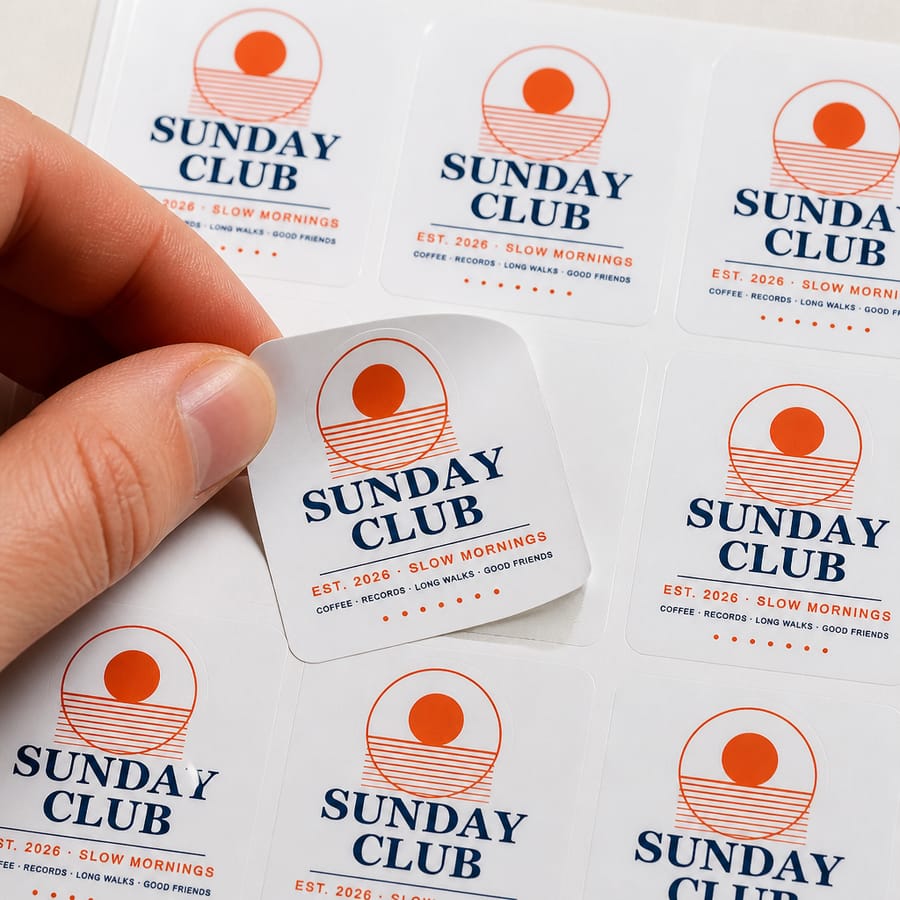
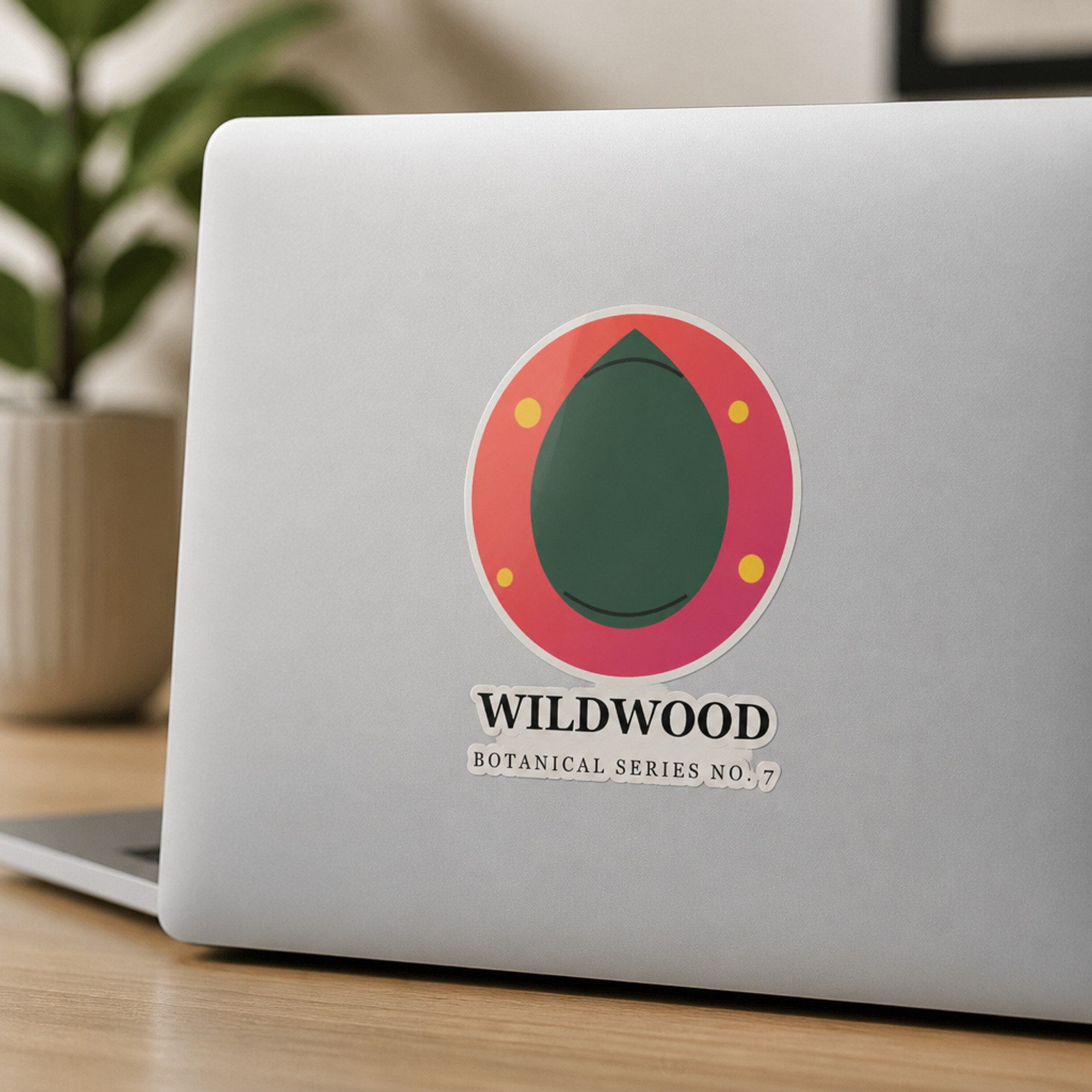
Sticker Sheet (left) and a single die-cut sticker (right) — both generated from the same uploaded design.
What you need to get started
- Your sticker artwork as a JPG or PNG (transparent background gives the cleanest die-cut edge on each copy)
- A PosterMock AI Pro plan — Sticker Sheet is one of the Pro surfaces
- About 20–30 seconds per mockup
Step-by-step: generating a sticker sheet mockup
Switch to Sticker mode
At postermockai.com/app.html, click the "Sticker" tab in the product rail.
Upload your design
Drag in your sticker artwork. Transparent padding around the shape is fine — it's ignored automatically.
Select the Sticker Sheet surface
Instead of Flat Lay or Laptop, pick Sticker Sheet — the AI lays out an even grid of kiss-cut copies and adds a hand peeling one off the sheet.
Choose a finish
Glossy, Matte, or Holographic — the finish still applies across every copy on the sheet, matching what you actually ship.
Generate and download
2000×2000px at 300 DPI, ready for an Etsy listing photo, in about 20–30 seconds.
Why a sheet photo earns its own slot in your gallery
A die-cut mockup on a laptop or bottle answers "what does this sticker look like in the world?" A sheet photo answers a different buyer question: "what am I actually receiving?" For listings that ship a single sticker, that clarity matters — buyers scanning quickly can otherwise assume a sheet-style photo means multiple items. For listings that genuinely ship a set or sheet, it's close to mandatory: it's the one photo type that visually confirms quantity before checkout.
Worth knowing: the Sticker Sheet mockup shows copies of the same design, not a mixed assortment of different designs from your shop. If your listing is a themed multi-design set, this mode isn't the right fit — style a real flat lay of the actual set, or generate each design separately and combine them afterward.
Sticker Sheet vs. the other surfaces
| Surface | Best for | Plan |
|---|---|---|
| Flat Lay | Simplest, most universal single-sticker shot | Free |
| Laptop | The context most buyers picture for decorative stickers | Free |
| Water Bottle | Showing real-world scale and curve-wrap | Pro |
| Notebook | A cozier, more editorial single-sticker context | Pro |
| Phone Case | A clear case in a denim pocket: an everyday, on-the-go context | Pro |
| Sticker Sheet | Confirming quantity and "pack" value at a glance | Pro |
Most sellers get the best gallery results by leading with a single-sticker shot (Flat Lay or Laptop) that shows the design clearly, then using Sticker Sheet as a secondary photo that answers the quantity question without cluttering the lead image.
Turn your sticker design into a styled sheet photo
Upload a design once and get a listing-ready sticker sheet mockup in under 30 seconds.
Try free — no account needed →2000×2000 · 300 DPI · No watermark
Frequently asked questions
Does the sticker sheet mockup show different designs or copies of one?
Several copies (about 6–9) of the same uploaded design on one kiss-cut sheet. It's a "here's the product" shot for one listing, not a mixed flat lay of your whole shop's catalogue.
Do I need a die-cut or transparent file?
It helps but isn't required. A transparent PNG gives the cleanest die-cut edge on each sticker in the sheet; a square or rectangular JPG still works.
Is Sticker Sheet free or a paid feature?
Sticker Sheet is a Pro surface. Flat Lay and Laptop are free; Water Bottle, Notebook, Phone Case, and Sticker Sheet are included on PosterMock AI's Pro plan.
Can I use these mockups commercially on Etsy?
Yes — anything generated is yours to use in listings, social media, or anywhere else, on any plan.