AI T-Shirt Mockup Generator for Etsy & POD Sellers
Print-on-demand t-shirt listings live and die on the mockup. A design that looks flat and lifeless on a plain product shot gets scrolled past; the same design worn by a real-looking model in good light gets a click. Most sellers solve this by paying per-mockup on a stock template site, or by using the same free mockup pack as every other shop on the platform.
PosterMock AI's t-shirt tool generates the product photo fresh around your design instead of pasting it onto a stock photo — a model actually "wearing" your print, a flat lay, a shirt on a hanger, folded on a shelf, or on a mannequin, in three shirt colors, none of it a shared template.
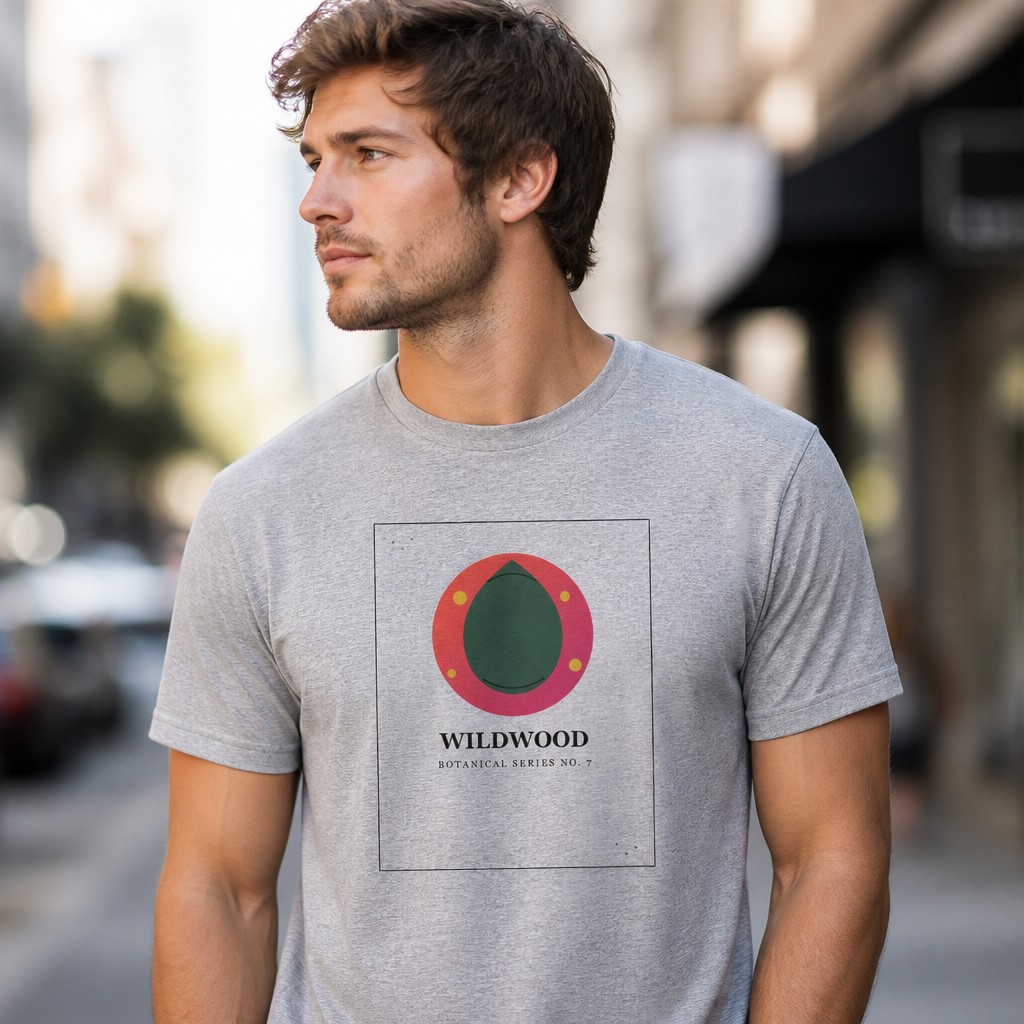
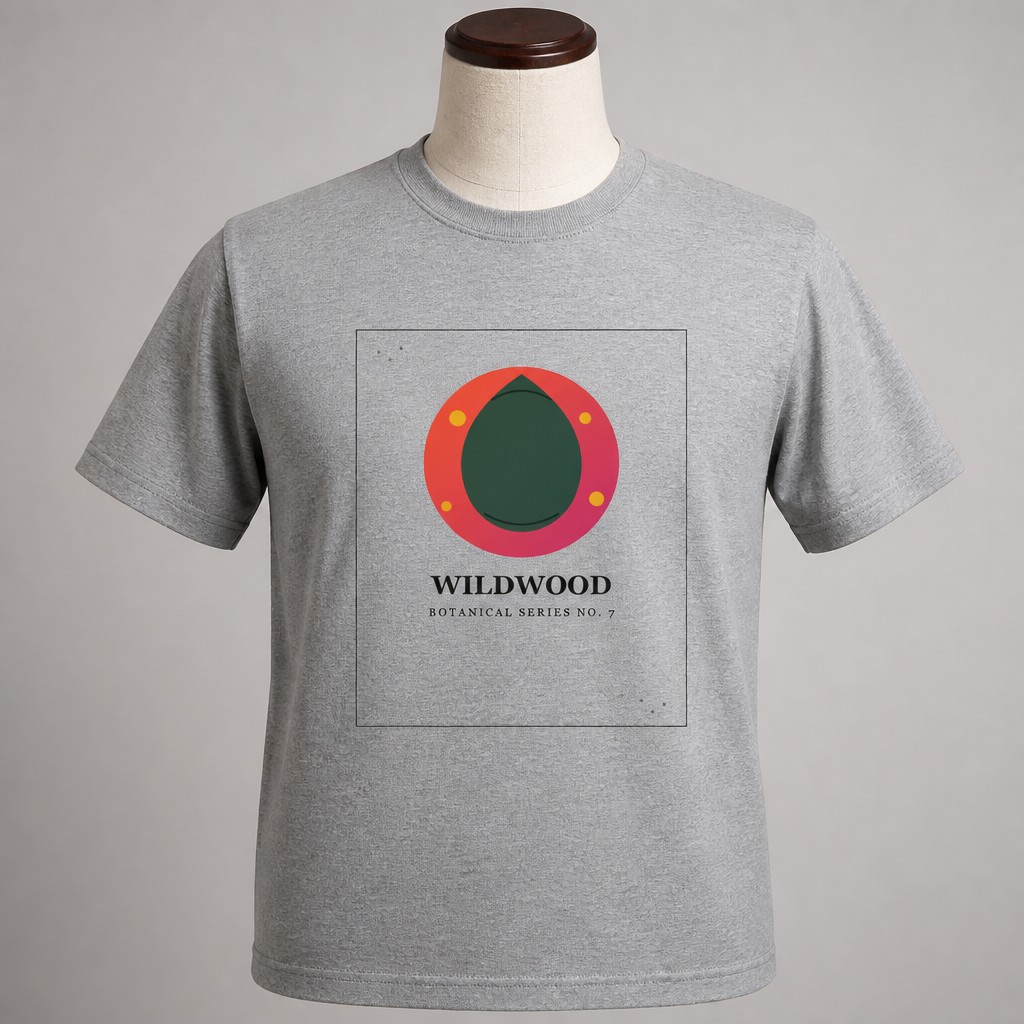
Both generated from a single uploaded design — no template file, no Photoshop.
What you need to get started
- Your artwork as a JPG or PNG (a transparent background keeps edges cleanest)
- A free PosterMock AI account, or none at all — guests get free daily generations
- About 20–30 seconds per mockup
Step-by-step: generating a t-shirt mockup
Switch to T-Shirt mode
At postermockai.com/app.html, click the "T-Shirt" tab in the product rail — same account, same credits as your other products.
Upload your design
Drag in your artwork. The AI prints it onto the shirt following the fabric's drape and natural shading.
Pick a scene
Worn (choose a model gender and a studio or street setting) and Flat Lay are free. Hanging, Folded, and Mannequin are Pro.
Choose a color
Heather Grey and White are free. Black is Pro — the three colors that cover the vast majority of POD t-shirt listings.
Generate and download
2000×2000px at 300 DPI, ready for an Etsy or Redbubble listing photo, in about 20–30 seconds.
Scenes at a glance
A waist-up shot of a model actually wearing the shirt — pick male or female, and a neutral studio or outdoor street setting.
Shot from directly above on a clean surface — the design reads clearly with no fabric distortion.
On a hanger against a soft neutral background — a simple, catalogue-style product shot.
Neatly folded, as if on a retail shelf — a context buyers associate with quality apparel.
On a torso mannequin against a plain studio background — shows fit and shape without needing a human model.
How it compares
| Tool | Price | Mockup type | Unique per design |
|---|---|---|---|
| PosterMock AI | Free · $7.99/mo | AI-generated scene | Yes |
| Placeit | $14.95/mo · $7.47/mo annual | Stock template | No |
| Canva Mockups | Free · $15/mo | Stock template | No |
| Printful Mockup Generator | Free (with Printful account) | Stock template | No |
Worth knowing: the Worn scene is the only one with a model in frame, so it's the one where Model and Setting actually change the composition — Flat Lay, Hanging, Folded, and Mannequin stay product-only shots regardless of those settings.
See your t-shirt design as a real product photo
Upload a design, pick a scene and color, and get a listing-ready mockup in under 30 seconds.
Try free — no account needed →2000×2000 · 300 DPI · No watermark · No sign-up
Frequently asked questions
Does this work for Redbubble and other POD platforms, not just Etsy?
Yes — the output is a standard 2000×2000 JPEG or PNG you download and upload wherever you sell, whether that's Etsy, Redbubble, your own Shopify store, or anywhere else.
Can I use these mockups commercially?
Yes — anything generated is yours to use in listings, social media, or anywhere else, on any plan.
Is this the same tool as the poster, sticker, and tote bag generators?
Same app, same account and credits — T-Shirt is the fourth mode alongside Poster, Sticker, and Tote Bag. See our guides on AI room mockups for Etsy listings, AI sticker mockups, and AI tote bag mockups if those are also part of your shop.